
 English
 Deutsch
 日本語
日本語 简体中文
简体中文
Download set.a.light 3D V2.5 and test it for 15 days free of charge
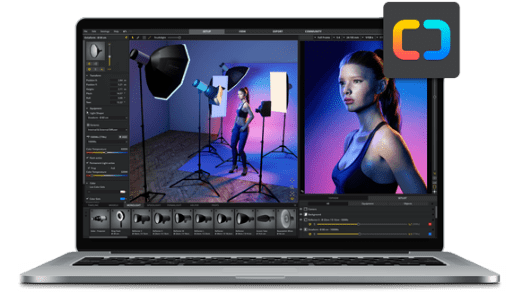
Version: set.a.light 3D V2.5.9d — Release Notes — System requirements
The trial version can be fully tested and is not limited.
With each start of the software you can choose whether you want to test the BASIC or the STUDIO edition.
Note: the demo version requires an internet connection.
Included languages:

Deutsch

Français

English

Português (BR)

한국어

日本人

中文(简体)
PDF User manual
First steps
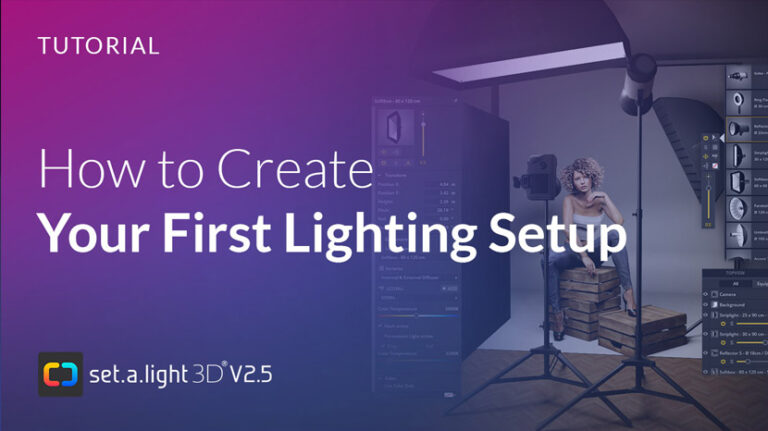
How to create your first project with set.a.light 3D
Get to know the essentials – from an overview of the user interface to creating your own pose. Then you can get started with your first project.


Browse articles. Watch tutorials. Find answers.


Meet other setalighters
Connect with like-minded people, share your work and find inspiration.


Frequently Asked Questions
I have a stationary computer and a laptop. Can I use the software on both devices?
The software may be installed and activated on 3 computers, but cannot be used at the same time. So you can install it on your main computer, a second copy on your notebook and for example on your computer in your studio.
Does the software run on Mac and Windows?
Yes, the software runs on Mac and on Windows. After purchase, installers for both systems are available in your customer account.
Are there any special recommendations regarding the computer hardware?
set.a.light 3D primarily uses the capacity and memory of your graphics card in order to conduct the live-rendering process. For a smooth operation of the software, we recommend current graphics cards with a graphics memory of 1GB RAM or above. For more information check out the minimum system requirements.
Is there an education version?
Yes! We offer special prices for schools, teachers and students. Please visit our Student and Education page for more information.
Is it possible to upgrade later from BASIC to STUDIO version?
Sure! You can upgrade any time to get the full flexibility and all functionalities of set.a.light 3D.
For whom is the STUDIO version suitable, for whom the BASIC version?
We think that everyone should have the chance to educate themselves digitally and to be creative. That’s why we offer the BASIC version at a lower price.
The BASIC version can be an option for you, if you first want to get familiar with the software and see if it suits you or if you have no idea about lighting at all and are doing first steps with it. The Basic version has everything to create simple light setups (no permanent/film lights).
If you are very creative and/or also want to work with film and continuous light, then the STUDIO version is the best choice for you. In contrast to the Basic version, no functions are restricted here, there are many more possibilities to experiment and you can create complex setups and work on more extensive projects.
Do I need to renew my license?
Your license is valid for a lifetime (no subscription). Updates are included FREE of charge. They contain enhancements, bug fixes and improvements to the software. Updates are delivered during the product lifecycle. If we release an upgrade at a later date, you can upgrade for a fee or simply continue working with your current version.
Release Notes
Find out what’s been added and improved in set.a.light 3D since our first release.
V2.5.9d (14/Dec/2023)
What's new in V 2.5.9d
The new version 2.5.9d is a hotfix for Apple macOS from Sonoma 14.2
- Hotfix for macOS Sonoma 14.2 and higher
set.a.light is frozen under macOS Sonoma 14.2 if the display of the mouse cursor has changed. - Translations improved
- Stability of the community improved
- Minor bug fixes and improvements
The update has a size of 28 MB for Windows and 97 MB for MAC
V2.5.9b (19/July/2023)
What's new in V 2.5.9b
The new version 2.5.9b contains the following new features
-
NEW: ARRI SkyPanel S360-C LED
-
NEW: 7 light shapers for Aputure LS 600D PRO (20 cm Reflector, Fresnel 2X, Light Dome II ⌀ 89 cm, Light Box 60x90 cm and 30x120, Lantern, Light Dome Mini II ⌀ 55 cm)
-
NEW: Chinese language has been integrated
-
NEW: "False Color" and "EL-Zone" mode for the movie camera
-
COMMUNITY: You can now upload setups in which you have used your own 3D objects to the community. Important: The 3D objects are NOT uploaded. When such a setup is opened in set.a.light 3D, the 3D objects are replaced by note symbols.
-
Many minor bug fixes and improvements (and Fix for 2.5.9a)
The update has a size of 30 MB for Windows and 54 MB for MAC
V2.5.9 (14/March/2023
What's new in V 2.5.9
The new version 2.5.9 contains the following new features
-
NEW: 3D Importer (beta) as add-on (chargeable)
-
NEW: Japanese language integrated
-
NEW: Snoot with 6 cm ⌀ + honeycomb for flashes
-
NEW: Background reflector for flashes
-
NEW: Snoot with 6 cm ⌀ + honeycomb for speedlights
-
NEW: Background reflector for speedlights
-
Small bugfixes
-
Note: Apple computers with Ventura need a new installation
The update has a size of 35 MB for Windows and 56 MB for MAC
V2.5.8f (13/Dec/2022)
What's new in V 2.5.8F
The new version 2.5.8f contains the following new features
- NEW: Godox AD200 available as selectable flash head for all flash light shapers (in tab monolight)
- NEW: Godox Beauty Dish 42 cm in silver and white with diffuser (in tab Monolight)
- NEW: Lamp tripod without light source as prop (height adjustable)
- NEW: Camera tripod without camera as prop (height adjustable)
- More combinations for creating your own speedlights (zoom range, guide number)
- New control range for Elinchrom (0.1-4.4) to create your own speedlights
- NEW: Light Dome Mini II 55cm for Monolight
- NEW: more light shapers for Aputure (LS 120D II, LS C300D II and LS 300X) continuous lights:
- Light Dome Mini II 55cm
- Light Box 60 X 90 cm
- Light Box 30 x 120 cm - Small bugfixes
The update has a size of 22 MB for Windows and 37 MB for MAC
V2.5.8d (14/July/2022)
What's new in V 2.5.8D
Patch for version 2.5.8 (a)
- Picture wall can now also be used transparently
- NEW: Fitness assets with 22 new sport objects
- NEW: Car with activatable headlights, doors can be opened and steering can be controlled
- Filebrowser for Mac improved (it happened that the filebrowser could not be operated)
- Small bugfixes
The update has a size of 100 MB for Windows and 110 MB for MAC
V2.5.8c (31/March/2022)
What's new in V 2.5.8C
Patch for version 2.5.8 (a)
- New: Autosave (every 6 minutes - NAME.autosave.set)
- New: The camera can now be focused manually (in the detailed settings)
- The room can now be enlarged up to 100 meters
- Continuous light can now be replaced directly by monolight (drag & drop)
- Bugs fixed
The update has a size of 34 MB for Windows and 55 MB for MAC
V2.5.8a (13/Jan/2022)
What's new in V 2.5.8a
Patch for version 2.5.8
- New: Bare Flash (without light shaper)
- New: 2/3" Sensor
- Colour of dummy camera can now be adjusted
- Glasses are now visible in the mirror
- Nylons and socks are now visible in the mirror
- PNGs with 16 bit can now be imported
- Bugs fixed
The update has a size of 22 MB for Windows and 34 MB for MAC
V2.5.8 (15/Dec/2021)
What's new in V 2.5.8
The new version 2.5.8 contains the following new features:
- NEW! Facial expressions for all models
- NEW! Create and save your own facial expressions
- UPDATED! You can now mirror the pose
- UPDATED! Many new lights and modifiers: - New additions to monolights: Umbrella W/S - Ø 210 cm; - New additions to speedlights: Octabox Ø - 90 cm; - New additions to permalights: LED Video Lamp - 14 x 8 cm, Aputure LS 120D II Ø 20cm + 3 new light shapers (Fresnel 2X, Light Dome II Ø 89cm, Lantern), Aputure LS 300X Ø 20cm + 3 new light shapers (Fresnel 2X, Light Dome II Ø 89cm, Lantern), Aputure LS 600D PRO Ø 20cm;
- Various ceiling lamps, pendant lamps, table lamps, floor lamps and candles
- NEW! Mirror (Mirrors the scene - mirroring of the light is also possible - Mirroring across two mirrors is not possible)
- UPDATED! More props like drums, palms, phone, palms, furniture, toilet, studio equipment, carpet with adjustable textures
- NEW! Experimental car (reflections in the paint not yet possible)
- UPDATED! Wall element has a new windows and doors option
- UPDATED! New basic shapes with more flexibility
- UPDATED! Improvements and additions to the camera: ND filter added to camera, anamorphic lens for video camera added, camera can now be set in detailed settings, ISO 3, 6 and 12 added, more lenses added
- UPDATED! Improvements and additions to the models: new garment (women), new headscarf (women), new cap (women/men), new eyes that look more realistic and improved reflections in the eyes, it’s now possible to save styled models in the detail settings as a preset
- UPDATED! Multiselect has been improved: Multiple selection of objects in the studio when you press ctrl/cmd key or press Shift + Drag frame in studio area. Deselecting objects from the multiple selection now also works without errors. The same is true in the set list.
- NEW! Studio template can be applied in an open project (previously, a studio template could only be selected when starting a new project)
- NEW! Selected snaps can be exported to a new .set-file
- UPDATED! The rendered images now contain the EXIF data of the camera
- The performance of the software has been improved, RAM consumption reduced
- Many major improvements to the software core
- Mac version is now a universal app. It also includes the M1 native version.
- Fixed bugs
- Added more bugs to fix later 😀
V2.5.7 (15/Dec/2021)
What's new in V 2.5.7
- New Patcher (is necessary to patch V.2.5.8)
- The patch is about 19 MB (for Mac 30 MB)
V2.5.6 (13/Jan/2021)
What's new in V 2.5.6
- NEW: Lens 18-135 mm
- More FPS values for film camera (120, 240, 400, 800, 1000, 2000 fps)
- Portrait/landscape switching of the cameras now also possible in the technical settings
- Small bug fixes
- Hotfix for speedlights (own speedlights were not applied correctly in V2.5.5)
V2.5.5 (15/Dec/2020)
What's new in V 2.5.5
I am a headline
- NEW: Lens 18-135 mm
- More FPS values for film camera (120, 240, 400, 800, 1000, 2000 fps)
- Portrait/landscape switching of the cameras now also possible in the technical settings
- Small bug fixes
- Hotfix for speedlights (own speedlights were not applied correctly in V2.5.5)
V2.5.3 (30/March/2020)
What's new in V 2.5.3
- Flexible license control for schools
- NEW: More textures for the floor
- Hotfix for 2.5.2
- License module renewed (in the customer account the activated PC's are visible - from V2.5.2)
- NEW: More hair for female models
- NEW: Cap for men
- NEW: 2 new sunglasses for the female models
- NEW: The color of the glasses can now be changed
- NEW: The eyes can now be closed
- NEW: Wall element with many textures
- NEW: More textures for the floor
- NEW: ARRI Lite 750/2000 Plus
- Parabolic Softbox now with Grid
- In the export there is a possibility to render the shadow or the model masked
- Many detail improvements and bug fixes
V2.5.1 (21/Jan/2020)
What's new in V 2.5.1
UPGRADE to set.a.light 3D V2.5
IMPORTANT: The upgrade requires a new installation, it will not be delivered by automatic patch!
- Trial time reset, everybody can test set.a.light 3D V2.5 again!
- NEW: Community to share and download light setups
- NEW: ARRI L5-C, L7-C, L10-C
- NEW: Eyelids of the models move automatically with the direction of gaze
- NEW: The skin of the models can be changed (light, dark, own color)
- NEW: More hair for Mike, Thomas and Jamal
- NEW: Glasses for Kira and Jamal
- Minimum adjustable size of the modes now 5 cm, maximum is 500 cm
- Many new combination possibilities of the existing clothes
- Rendering can now also be created and exported in the export tab
- The studio view is now displayed more nicely in the export
- Color Gels can now be edited in the set list
- Many detail improvements and bug fixes
Minimum system requirements
Windows
- Operating system Microsoft® Windows® 11 / 10 / 8 / 7 (64 Bit)
- Processor Intel® Core i3 / i5 / i7 / i9, or. or equivalent AMD Prozessor (from Bulldozer)
- Graphics card Graphics card with at least 2 GB VRAM (6 GB VRAM ideally) DirectX 11. Please make sure your graphics card drivers are up to date
- Display Minimum display resolution of 1440x960
- RAM Minimum 8 GB RAM (16 GB recommended)
- Disk space 10 GB free hard-disk space
- Internet Internet connection (for updates and add-ons)
- Control Mouse or tablet (mouse is recommended)
Recommended system requirements
For the best performance, we suggest your system to have a modern and powerful graphics card with DirectX12 and at least 6 GB VRAM.
Recommended graphics cards for Windows:
from NVIDIA® GeForce® GTX 3060 TI or ATI Radeon® RX 6750 XT.
Note:
Integrated graphics chipsets such as Intel® Iris Plus/Pro are not ideal and offer little power.
Mac
- Mac models 2012 or newer
- Operating system OS X 10.14 Mojave or newer (64 Bit) (13.5 Ventura recommended) (Please keep your system up to date)
- Processor Intel multicore-processor with 64-Bit-Support
The M1/M2 chip is natively supported - Graphics card Graphics card with at least 2 GB VRAM and OpenGL 4.1/Metal (6 GB VRAM ideally)
- Display Minimum display resolution of 1440x960
- RAM Minimum 8 GB RAM (16 GB recommended)
- Disk space 10 GB free hard-disk space
- Internet Internet connection (for updates and add-ons)
- Control Mouse or tablet (mouse is recommended)
Recommended system requirements
For the best performance, we suggest your system to have a modern and powerful graphics card with OpenGL 4.1/Metal and at least 6 GB VRAM.
Recommended graphics cards for Mac:
from e.g. AMD Radeon Pro 5600M, or M2 (from at least 16-core GPU).
Note:
Integrated graphics chipsets such as Intel® Iris Plus/Pro are not ideal and offer little power.