
 English
 Deutsch
 日本語
日本語 简体中文
简体中文 Français
Every strobe, speedlight, LED panel and table lamp on your set starts as a tile in the library: drag it in, and it arrives standing, aimed and switched on. This page covers getting the right kind of light into the set and keeping control of it — placing it, exchanging its equipment, switching it off and looking at it alone.
Applies to BASIC, STUDIO, CINEMA · Continuous fixtures and practical lamps need STUDIO or CINEMA · You need: a project open on the SETUP tab with the library panel visible (N shows and hides it, by default).
Where to find it
The lights live in the library panel at the bottom left: SETUP tab → LIGHTS. Press E (by default) to open the library as a floating window, or use the pop-out button in its header.
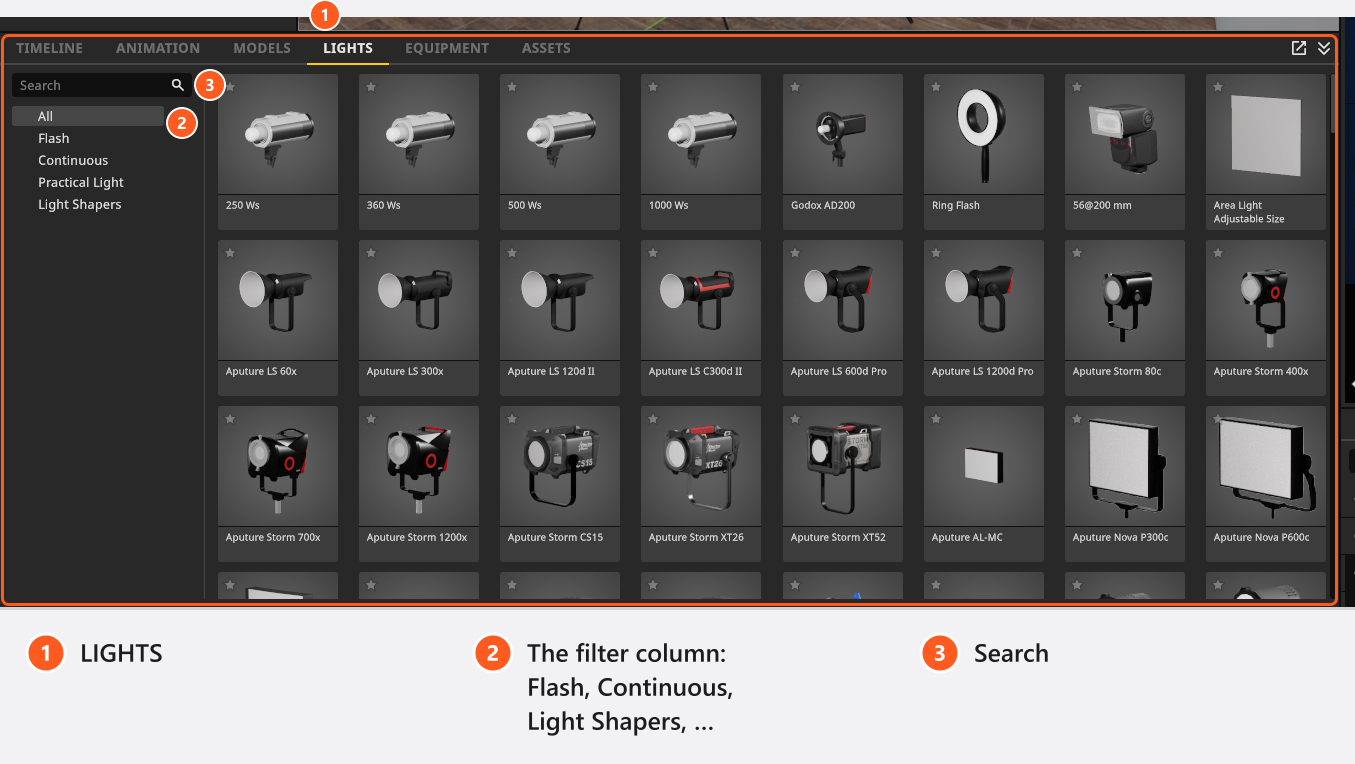
Four filters divide the tab, and a search field finds an entry by name:
| Filter | What it holds | Edition |
|---|---|---|
| Flash | Flash heads, the ring flash and the speedlight | all |
| Continuous | LED and film fixtures, and the ring light | (STUDIO+) |
| Practical Light | Table, floor, ceiling and hanging lamps, candles, flashlights | (STUDIO+) |
| Light Shapers | Everything that mounts in front of a head — see Choose and fit a light shaper | all |
In BASIC the Continuous and Practical Light filters are not there at all, and gobo shapers are missing from Light Shapers.
What kind of light to pick
The library holds 107 heads plus 24 practical fixtures:
| Kind | In the library | Dimmed |
|---|---|---|
| Flash heads | 4 studio strobes at 250, 360, 500 and 1000 Ws, plus the 200 Ws Godox AD200 | control range in stops |
| Ring Flash | one 1200 Ws ring head that can ride on the camera | control range in stops |
| Speedlight | one on-camera flash, listed as 56@200 mm; its zoom head covers 17 to 200 mm |
fractions of full power |
| Continuous fixtures | 99 film and photo fixtures plus the Ring Light; 59 of them are extended film fixtures that need CINEMA, or a licence that carries the extended-lights entitlement | per cent |
| Area Light | one free-form emitter whose width, height and brightness in lux you type in yourself (one of the extended fixtures) | per cent |
| Practical lamps | 24 fixtures fitted with one of 28 lamps, from a 2 W candle to a 300 W halogen | per cent |
Every entry with its size and power: Light catalogue.
How to place a light
- Open the LIGHTS tab, pick a filter or type into the search field.
- Drag the tile into the studio view and drop it where the light should stand — or double-click the tile to put it in the middle of the set. → The light arrives on its stand at
1.4 m, switched on, and if a model is in the set it is already aimed at the one closest to its direction. - Set the height, in the Tripod section of the inspector or with the on-screen handle (
Bshows and hides the inspector, by default). - Aim it — see Aim a light (target lock).
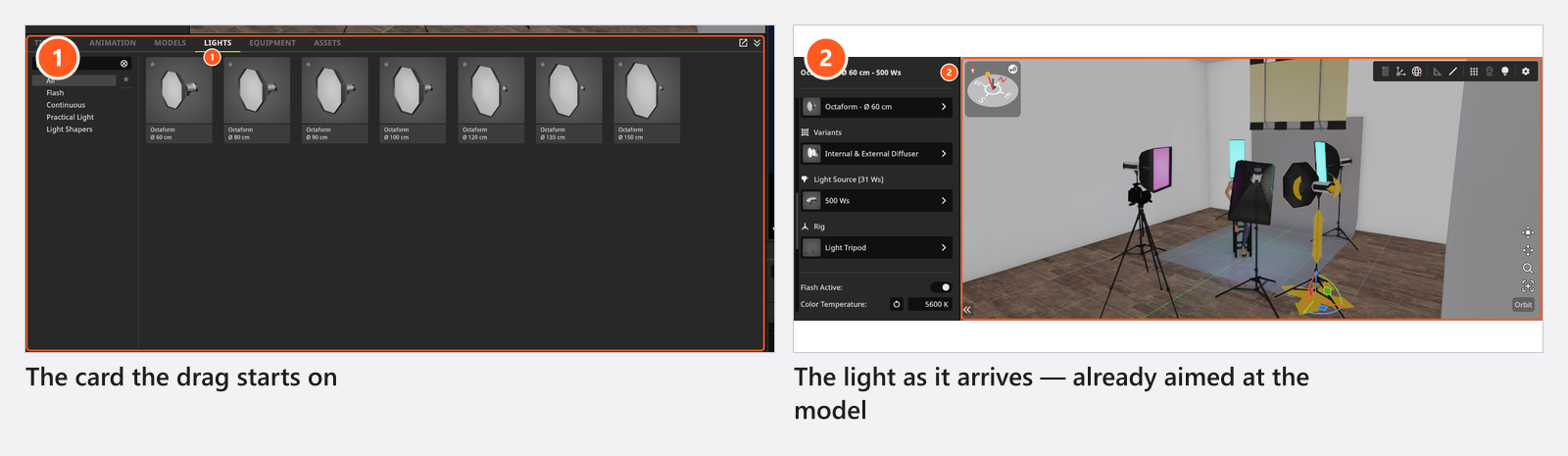
From 03:23 the starter tutorial does steps 1 and 2 on the LIGHTS tab: the filter column on the left, the search field, then a head dragged straight into the studio view.
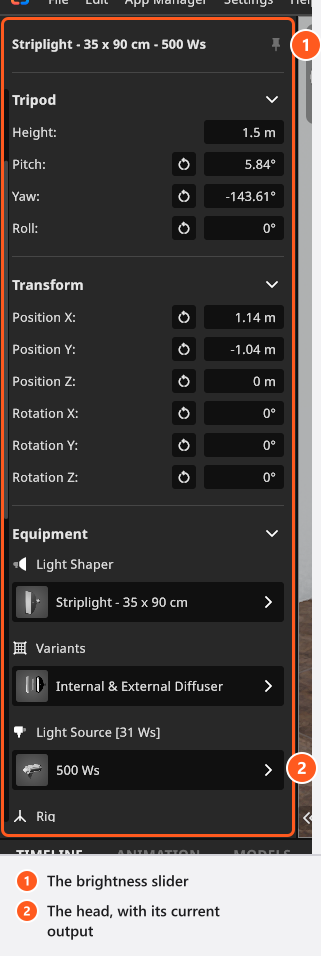
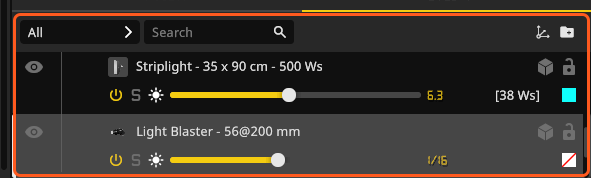
A new flash arrives four stops below its maximum, so you build the light up rather than down. Continuous fixtures and practicals arrive at full output. The head label shows what the head is putting out now, not what it is rated for: a 500 Ws strobe fresh out of the library reads Light Source [31 Ws] — 500 Ws, four stops down.
Swap equipment without losing the position
Drop a library tile onto a light that is already standing, and that part of the light is exchanged instead of a new light being created: position, height, angle, power and gel stay as they were. It is the quickest way to compare two heads or two light shapers.
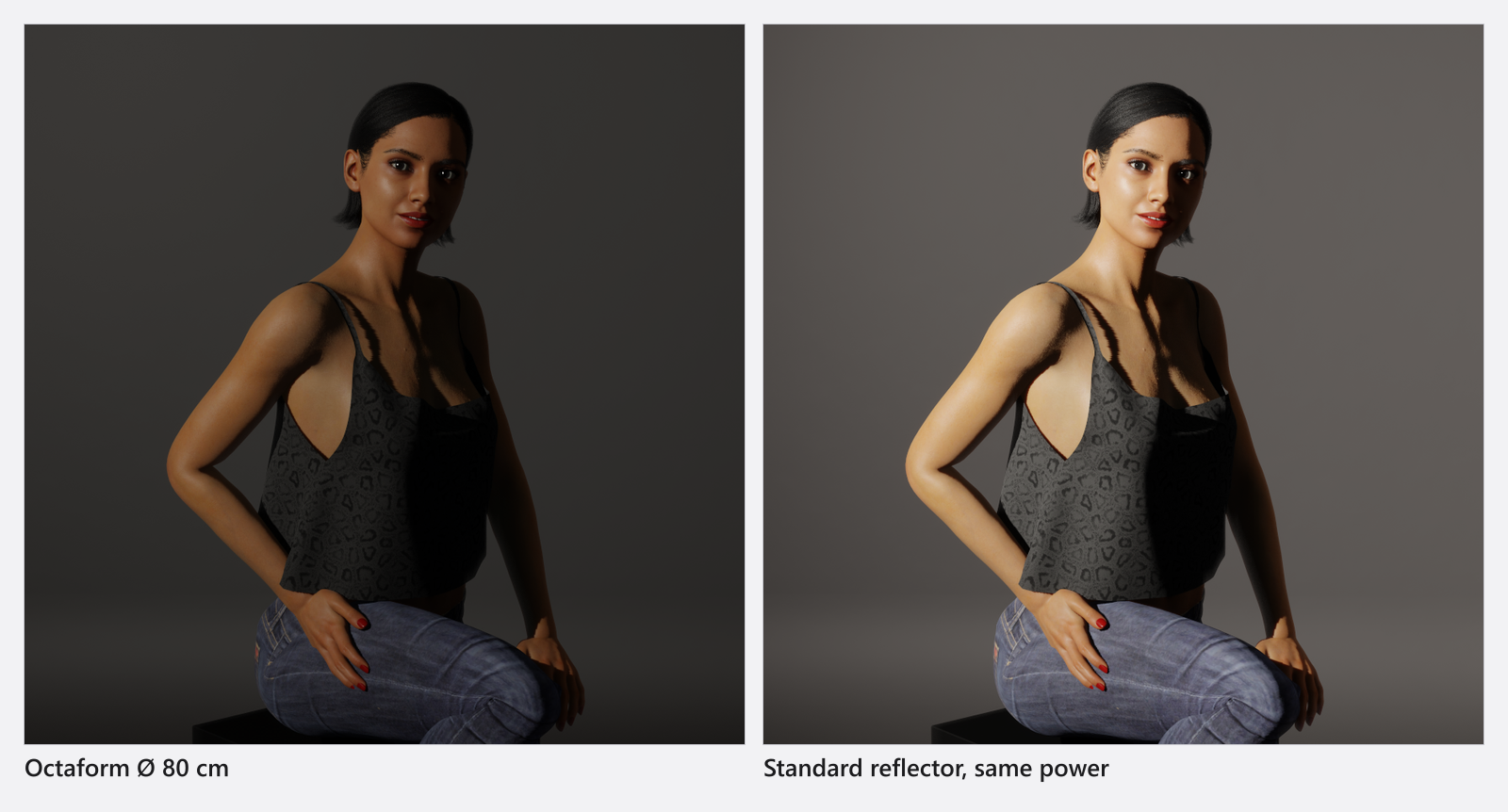
The exchange only happens when the dropped part fits the light’s other half — the same rule the picker lists follow. Drop a speedlight-only light shaper onto a studio strobe and the program places a second light instead. That is where the stray extra light comes from when a drop “does nothing”.
Switch a light off, or look at it alone
With a light selected, Q switches it off and on and S shows it on its own (both by default); W hides its stand. With several lights selected, Q sets all of them to the state of the active one. Both keys reach a practical lamp — a table lamp, a ceiling fitting — as well as a studio head, and a mixed selection is switched together. Each press is one undo step.
A light that is switched off keeps everything else and stays in the set list. Solo is stored with the set, so switch it off before you save — see Aim a light (target lock).
The five-light limit in BASIC
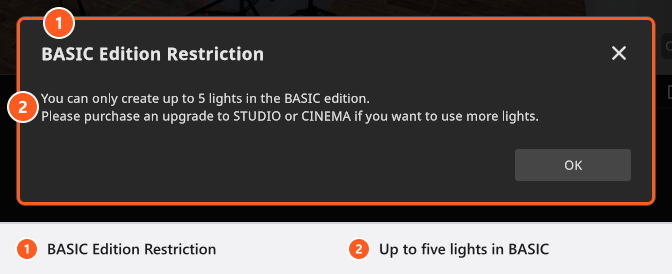
A BASIC licence allows five lights per set. The sixth is refused with the dialog BASIC Edition Restriction (“You can only create up to 5 lights in the BASIC edition.”), on every route into the set: dragging a tile in, double-clicking a tile, Duplicate, Alt-dragging a light off one of its own handles, pasting, and inserting a saved group from My Library. All of them let the fifth light in and stop at the sixth.
Tips & limits
- A light needs no light shaper. No Lightshaper leaves the bare head, which is the hardest light you can get out of it.
- Nine stands are available, from the Light Tripod to the C-stands with a boom and Light Tripod (invisible) for a light that should float.
- If the catalogue is longer than your kit, hide the entries you do not own — see Add your own lights and light shapers.
Troubleshooting
- My new strobe is far too dim. It is four stops below its maximum, by design. Drag the brightness slider up.
- I dropped a light shaper and got a second light. The light shaper does not fit the head you dropped it on; fit a matching head first.
- More symptoms: Lighting problems.