
 English
 Deutsch
 日本語
日本語 简体中文
简体中文 Français
Two tools throw a picture into the set, and they are not interchangeable. A gobo is a stencil in the beam of a studio head: hard-edged shadow patterns — a window, a venetian blind, leaves, an abstract breakup, what a film crew calls a cookie. The Light Blaster is a small slide projector that clamps on a speedlight and throws a full-colour image, which is how you get a logo or a city skyline onto a background.
Applies to BASIC, STUDIO, CINEMA · Gobo shapers need STUDIO or CINEMA · The Light Blaster mounts on a speedlight only · You need: a project open on the SETUP tab with a light selected.
Where to find it
Both are light shapers: fit them from the Light Shaper button in the Equipment group of a light, or drag them out of the LIGHTS tab under the Light Shapers filter. The controls they add appear in the same group, directly under the shaper.
Project a pattern with a gobo
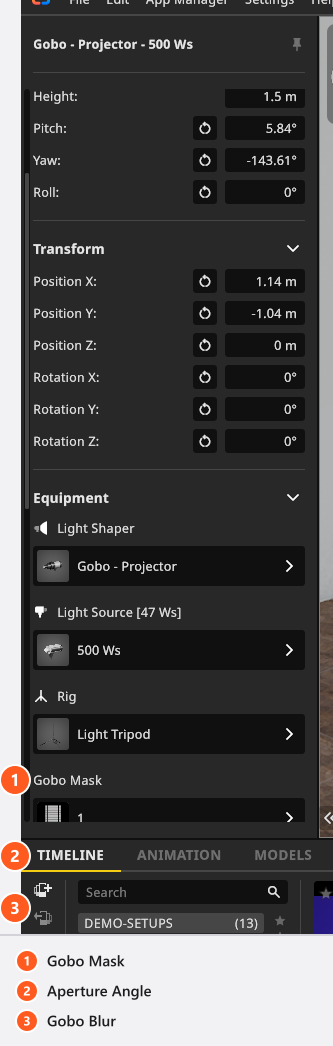
- Fit Gobo – Projector to a flash head or a continuous fixture. → Three controls appear under the shaper.
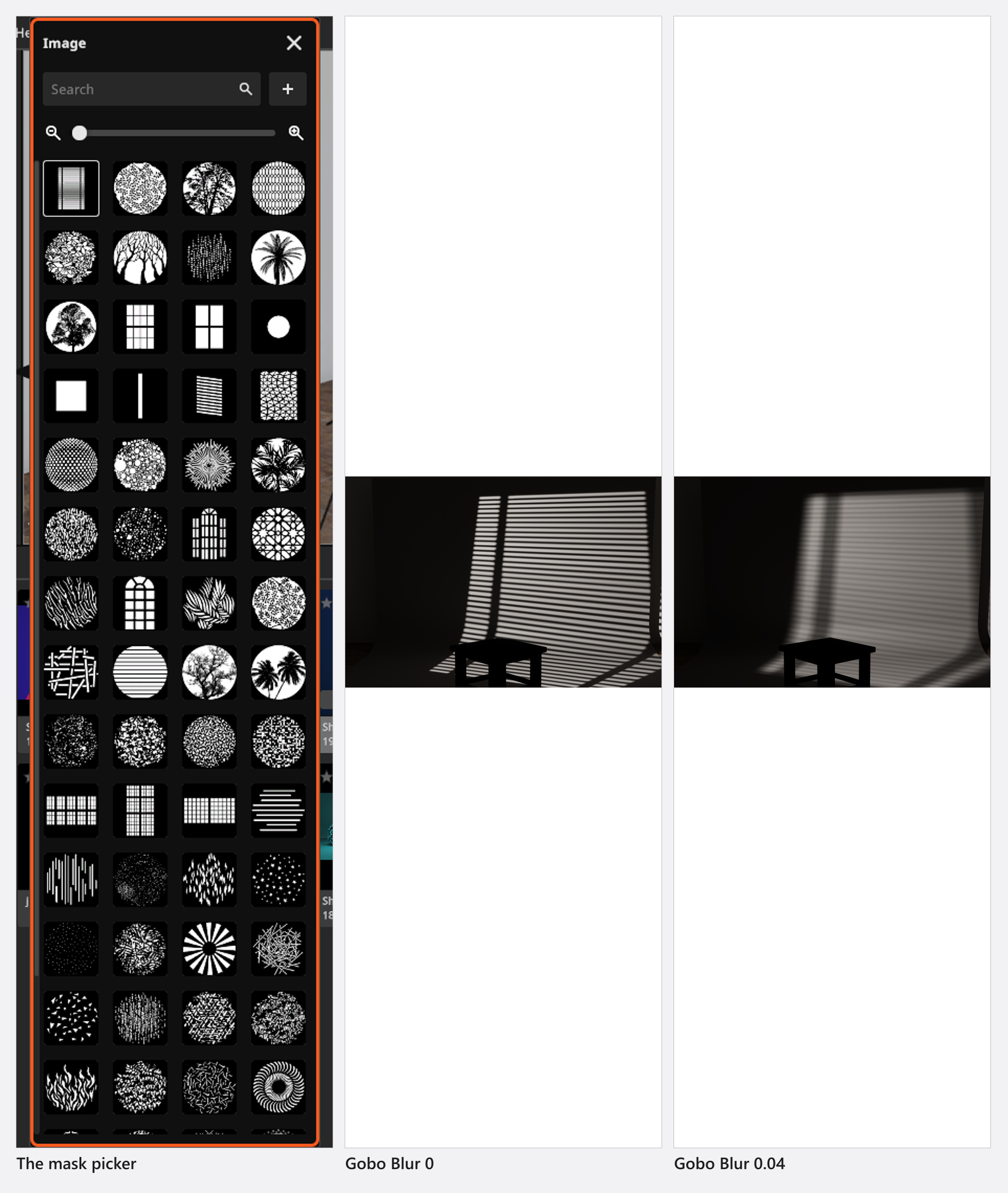
- Click Gobo Mask and pick one of the 64 bundled masks, or one of your own.
- Set Aperture Angle (
10°to170°, default90°) for how wide the pattern is thrown, and Gobo Blur (0to0.04, default0) for how sharply it is drawn —0is sharp,0.04is the softest the projector goes.
Distance and angle do the rest of the work: the closer the head, the smaller and brighter the pattern, and a shallow angle to the wall stretches it. A little blur usually reads better than a razor-sharp edge, because a real cookie is never perfectly in focus.
Prepare your own mask
Draw it square and greyscale, with a black margin around the pattern: white passes light, black blocks it. The importer accepts .jpg, .jpeg, .png, .tga, .tif and .tiff, and then does two things to whatever you hand it — it resizes the image to exactly 512 × 512 pixels and averages the colour channels to grey. A rectangular drawing therefore comes out squeezed, and a coloured one comes out as grey tones, so do that work before the import. The bundled masks are 512 × 512 too, which makes them a good template to draw against. Own masks live in the App Manager under Resources → Gobo Masks; see Add your own lights and light shapers.
From 07:53 the App Manager tutorial opens that page and says the same two things — white passes the light, black blocks it, and the built-ins are 512 × 512 — then moves on to the projector images the Light Blaster uses.
Project an image with the Light Blaster
Fit a Speedlight head first — the Light Blaster appears in the shaper list only there — and then work through its four controls in the Equipment group:
- Image Template — the slide: one of 10 bundled images, or one of yours.
- Lens Luminosity — the aperture of the projection lens (default
f/2.0). A faster lens throws a brighter picture. - Focal Length —
12 mmto130 mm, default50 mm. Short is large and dim, long is small and bright, exactly as with a real projector. - Manual Focus — off by default, in which case the projection focuses itself on whatever sits in the middle of the beam. Switch it on and Focus Distance (
0 mto20 m, default3 m) sets the plane yourself, which is what you want when the beam centre misses the surface you care about.
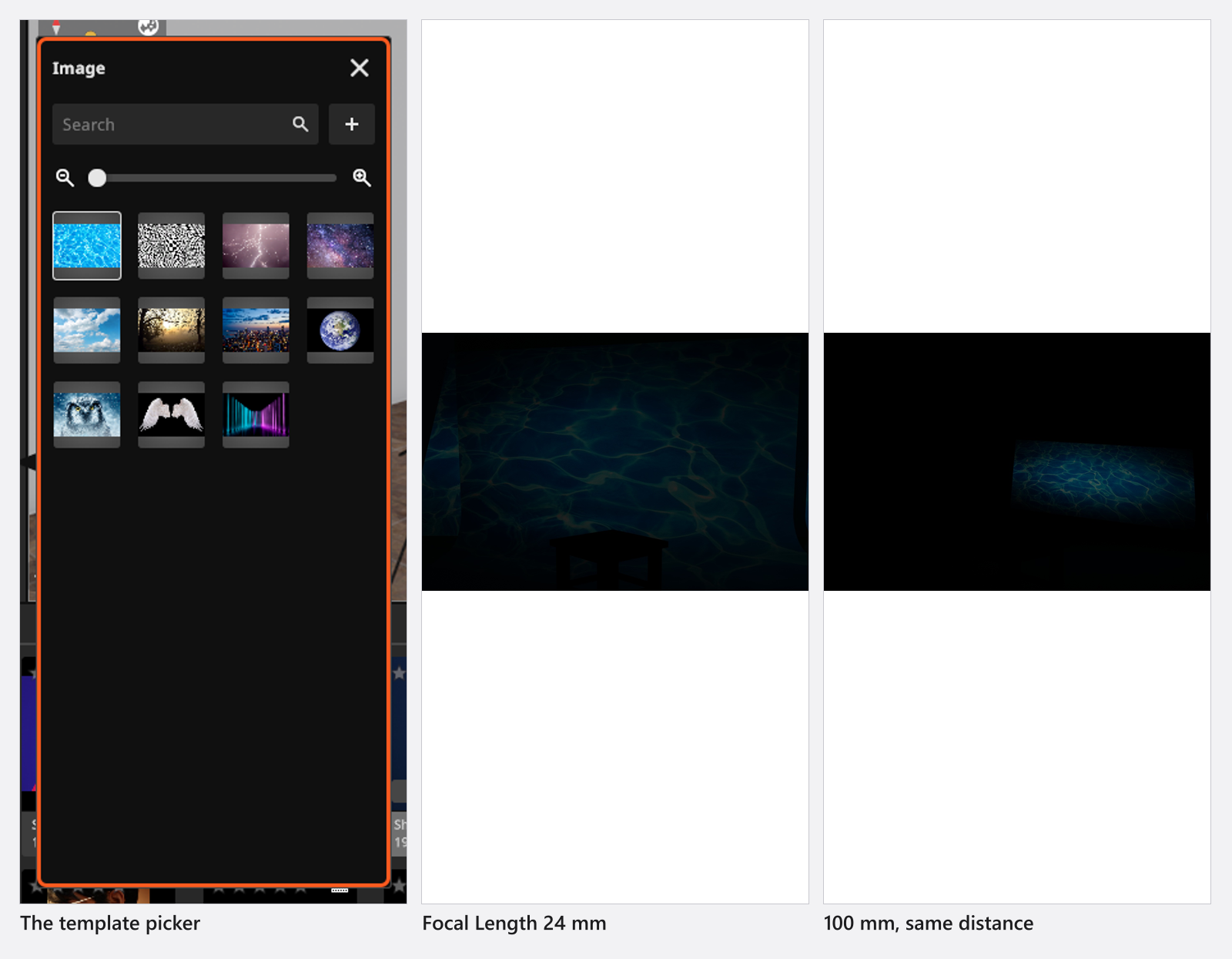
A slide eats a lot of light, and the program says so in the import dialog. Three habits make the first attempt work: pick a bright, high-contrast image rather than a dark moody one, open the projection lens, and give the camera more ISO or a wider aperture than the rest of the set needs. 2:3 is the natural format — it is a 35 mm slide — and your own images keep their aspect but are resized to fit 2048 pixels.
Tips & limits
- Own images are counted per library, and BASIC allows 7 of your own projector images; own gobo masks need STUDIO or CINEMA, because in BASIC the page for them is not in the App Manager. At the cap the dialog refuses a new image; editing one you already have stays open, because replacing a file does not make the library any longer.
- Save without transparency: the in-program help asks for it. A mask is turned into grey tones on import in any case, so draw what should pass light in white and the rest in black.
- A gobo pattern is a shadow, so it needs something to fall on. On a wall two metres behind the model it reads; in mid-air it does nothing.
- The beam angle is the gobo’s own, not the head’s Zoom. See Light settings for both.
Troubleshooting
- My mask came out stretched, or lost its colours. Every import is resized to
512 × 512and converted to grey. Re-draw it square and in grey tones. - There is no Gobo – Projector in my shaper list. Gobo shapers need STUDIO or CINEMA; in BASIC they are not in the library at all.
- The Light Blaster is not in the list. The head on the light is not a speedlight. Fit one, then the entry appears.
- The projection is out of focus. Automatic focus follows the centre of the beam. Switch Manual Focus on and type the distance to the surface.
- More symptoms: Lighting problems.