
 English
 Deutsch
 日本語
日本語 简体中文
简体中文 Français
Atmosphere — haze, fog, smoke hanging in the air — is what makes a beam of light visible. Give the air something to scatter in and you get volumetric light: a backlight draws a shaft through the frame, god rays fall through a window, distance starts to read, and the subject separates from the background. There are two ways to get it: the Environment fills the whole set with fog from one slider, and a fog machine blows a local plume where you aim it.
Applies to BASIC, STUDIO, CINEMA · You need: a project open on the SETUP tab.
What fog does to a picture
Fog scatters light on its way through the air, so three things change at once. Beams and shafts become visible wherever a light points towards the camera. Far parts of the set lose contrast and fall away, which is depth. And the blacks lift: the more fog, the milkier the whole frame.
Its height is worked out for you. The fog thins exponentially upwards and has no top surface, and the layer grows with the density: thin fog hugs the floor, so a sunbeam cuts through clearer air above it, while dense fog stands high enough to fill a room. There is no height control.
The scale itself was rebuilt for this version. A project you made earlier opens looking the way it did — only the number under the slider may be different.
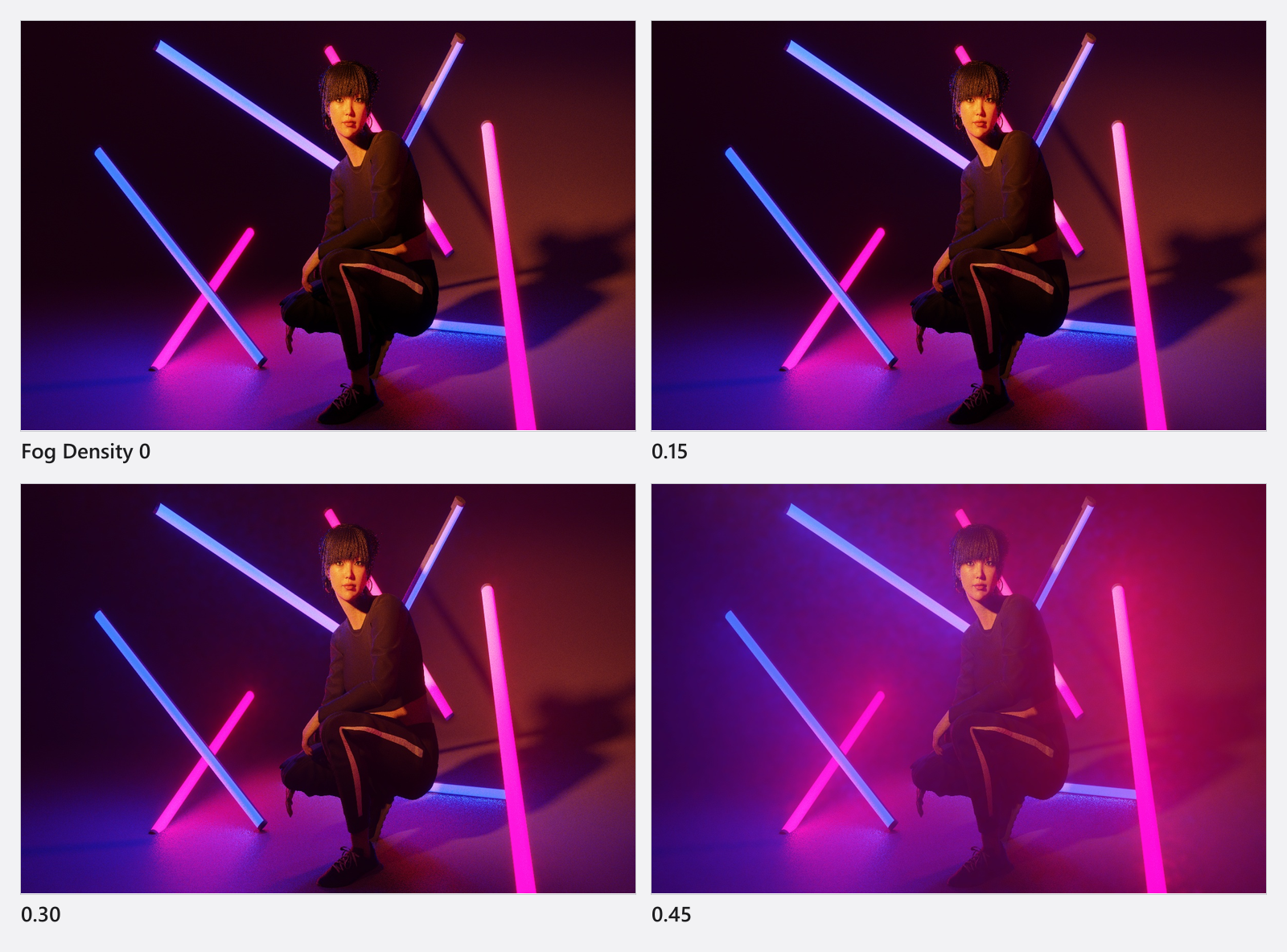
How to add atmosphere
- Select the Environment and open the Fog group. You reach the Environment from the first row of the set list, by clicking an empty part of the background, or by clicking the compass in the corner of the studio view — the compass also works inside a closed room, where the set-list row is hidden.
- Set Fog Density from the ladder below. The scale runs
0…0.5, and the values that do something in a studio-sized set live in the upper half. As a starting point, try0.20–0.35for a working haze and0.35–0.45for a heavy atmosphere; below0.10there is nothing to see indoors. - Light it from behind. A backlight or a spot pointing towards the camera is what turns fog into a visible beam; a frontal key in fog only washes the picture out.

| Fog Density | You can see through | Layer height | What you see |
|---|---|---|---|
0.05 |
≈ 19 km | 3.4 m | nothing in a studio |
0.10 |
≈ 6.3 km | 3.8 m | a hint on long sightlines |
0.20 |
≈ 1.2 km | 4.9 m | the first visible beams |
0.30 |
≈ 280 m | 7.4 m | clear studio haze |
0.40 |
≈ 66 m | 14 m | heavy atmosphere |
0.50 |
≈ 16 m | 33 m | whiteout |
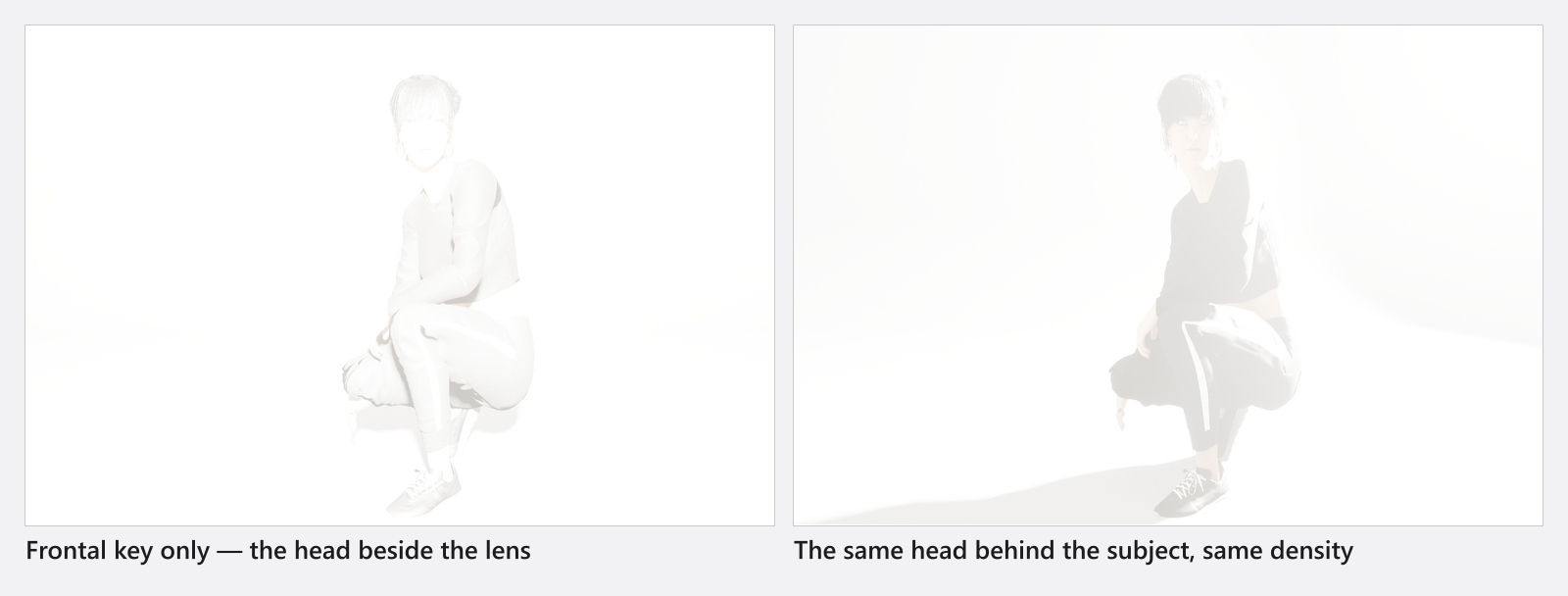
The studio view is not a fog preview
The studio view deliberately shows less fog than the render: past a certain point its density stops climbing so that the set stays workable instead of disappearing into white. The camera preview and the final render both show the real thing, so judge atmosphere there — never in the working view.
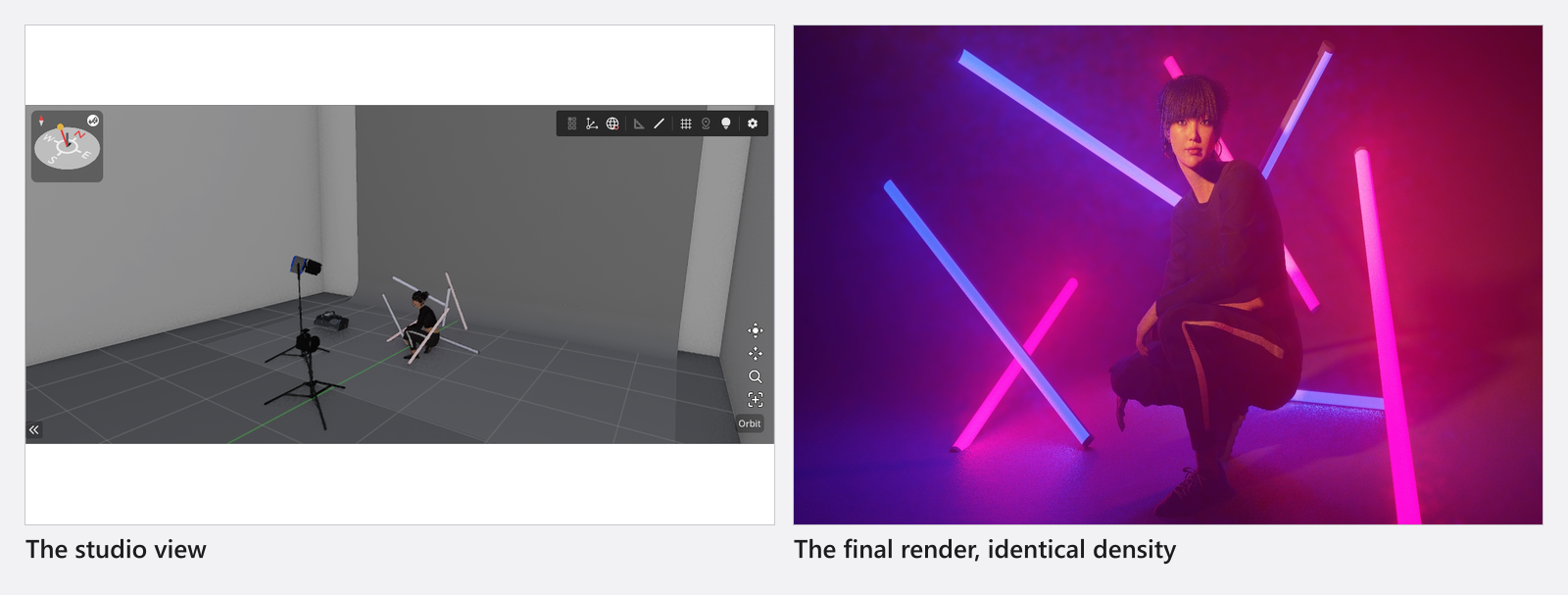
A plume from a fog machine is not compressed that way: its density stays as it is in the working view, even though that view works the fog out on a coarser grid.
What fog does to the sun
In dense fog most of the sun’s light no longer arrives straight from the disc, so its shadows go soft on their own. There is no control for it and nothing to switch on; it happens in the camera preview and in the final render. If you were expecting a hard edge at Diffusion 0, that is why.
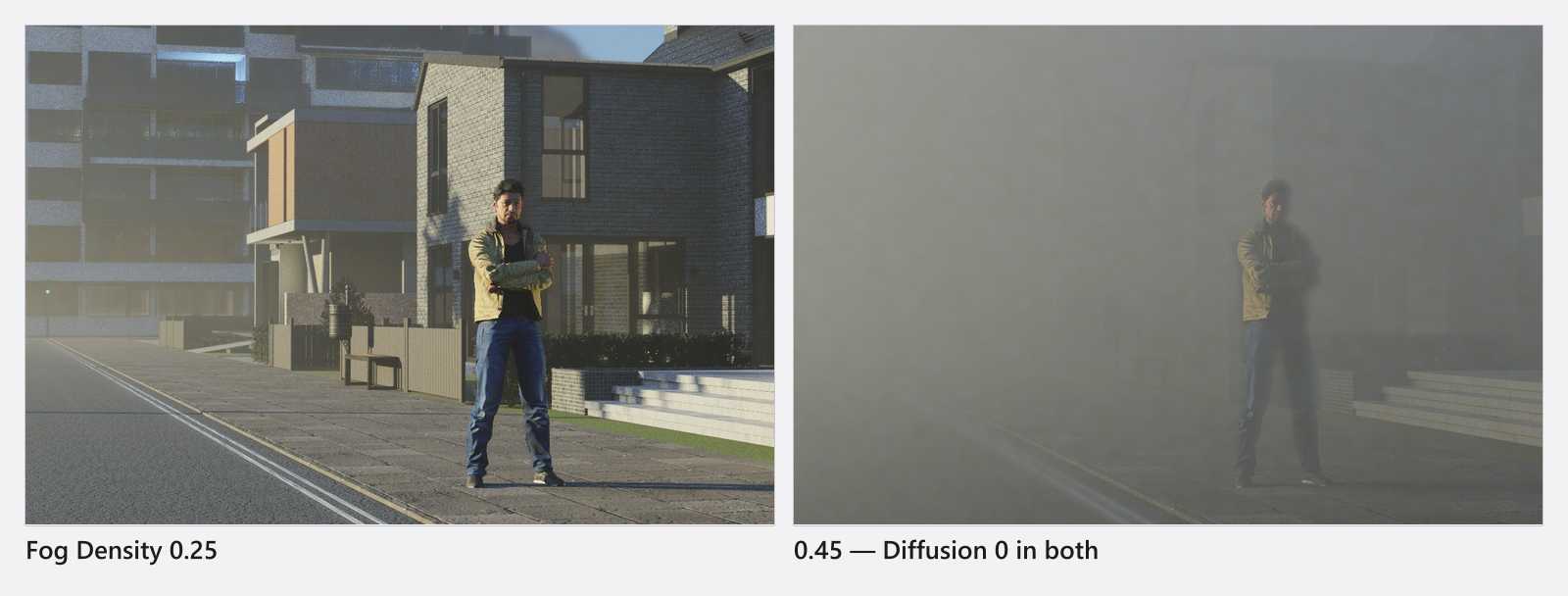
Environment fog or a fog machine?
- Use the Environment‘s fog when you want the whole set to sit in air — a hazy exterior, a smoky room, depth behind the subject.
- Use a fog machine when you want a plume in one place: a beam behind a performer, a low bank of smoke across a floor, a jet you aim.
- A plume scatters light evenly in all directions, while the set-wide fog throws more of it forward, so at a comparable visual density a plume reads a little softer.
Add a fog machine puts the two side by side and explains why their density sliders do not share a scale.
Settings
| Setting | Range | Default | Animatable |
|---|---|---|---|
| Fog Density | 0 … 0.5 |
0 |
yes |
Tips & limits
- Fog costs render time at every quality level — every ray has to be marched through the air.
- The camera preview and the final render work the fog out on the same grid at every quality level. Only the studio working view is coarser at the lower levels, and that view is not where you judge fog anyway. See Quality and denoiser settings.
- Dense fog costs light indoors: the air between a window and your subject scatters some of it away. Outdoors the fog also picks up light from the sky, so a hazy exterior reads brighter and airier — both are intended.
- A light meter takes the global fog into account, so a reading in a hazy set is not the reading you would get in clear air.
- The top-down set plan ignores Environment fog, so a hazy set still exports a clean, readable plan — see Create a set plan.
- Fog Density can be given keyframes, so atmosphere can build up or clear over an animation.
Troubleshooting
- My render is much foggier than the preview in the studio view. That is by design: the working view shows a reduced density. Judge fog in the camera preview or in a render.
- Fog Density is
0but there is still fog in the render. A fog machine stands in the set. One visible machine switches the atmospheric calculation on by itself, whatever the Environment’s slider says — close the eye on its row and both the plume and the extra cost are gone. - My old set shows a different Fog Density number than before. The scale was rebuilt in this version. Older projects are converted so that they look the same; only the number is new.
- The whole image looks milky and flat. That is what fog does — it lifts the blacks. Lower Fog Density, or put the light behind the subject instead of beside the camera.
More symptoms: Lighting problems.