
 English
 Deutsch
 日本語
日本語 简体中文
简体中文 Français
The sun is the hard half of daylight: one parallel light from a direction you choose, with a crisp shadow. The sky image around it is the soft half that fills those shadows, and the two together make up the Environment of a set. Aim the sun by hand and you can plan a location shoot, put a patch of daylight on the floor of a studio, or use it as a second source next to your studio heads.
Applies to BASIC, STUDIO, CINEMA · You need: a project open on the SETUP tab.
Where to find it
Select the Environment — the first row of the set list, a click on an empty part of the background in the studio view, or a click on the compass in the corner of the studio view. The compass route also works while the camera stands in a closed room, where the set-list row is hidden.
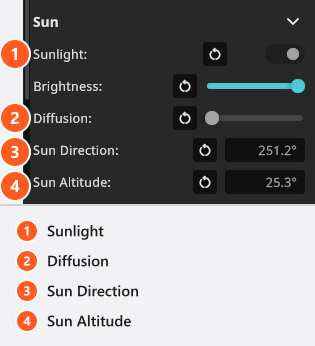
The sun settings live under Background. Below the map button there is a group called Baked Settings with the Sun group underneath it, and both are open when you get there. What you see are the values the selected sky image brought with it, ready for you to override. Shutting Baked Settings takes the Sun group out of sight with it, for the rest of the program session — it changes no value either way.
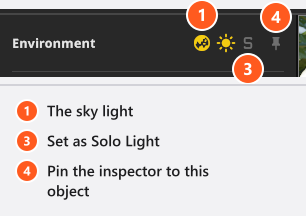
You do not need the foldout to switch the sun off: the sun icon in the inspector header toggles Sunlight directly, next to the globe icon for the sky light.
How to aim the sun by hand
- Switch Sunlight on.
- Set Sun Direction — the compass direction the light comes from (the azimuth),
0°to360°. - Set Sun Altitude — how high the sun stands,
-90°to90°. A low sun throws long shadows and warm, weak light;90°is straight overhead. At or below the horizon the direct sun is switched off and only the sky image is left.
From 00:18 a quick tip sets both fields to push daylight through a new window. Two things to read past: it says “elevation” for Sun Altitude, and the fields belong to the Environment, not to the window.
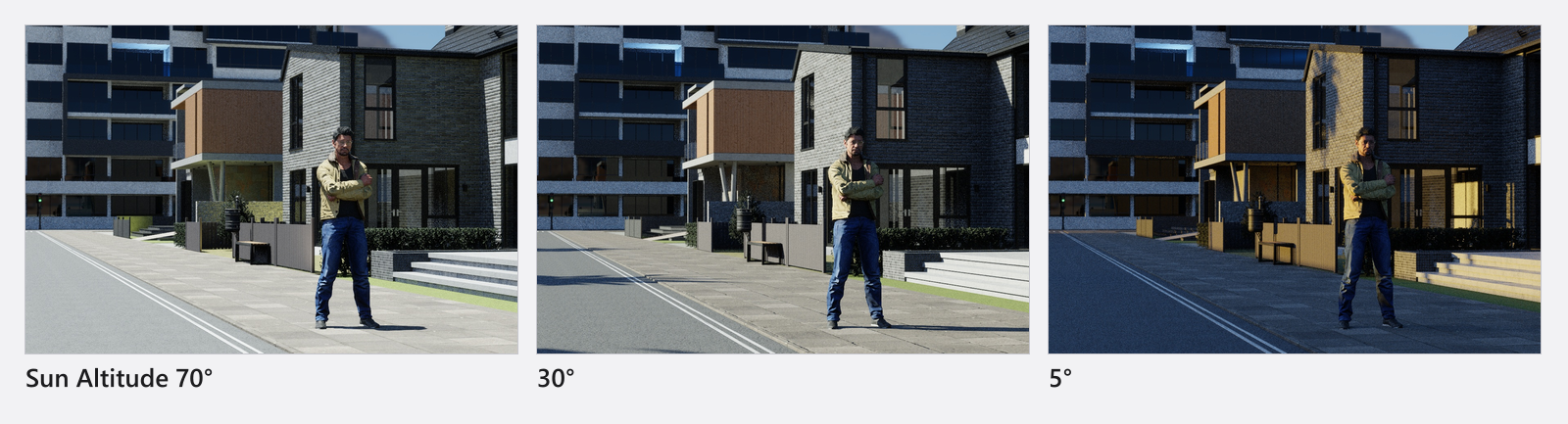
A low sun is dimmed and reddened for you, because its light passes through more atmosphere the closer it gets to the horizon. For a sunset look, lower Sun Altitude rather than gelling the light or pulling Brightness down.
Then trim the character of the light:
- Brightness runs from
-10to+0.1stops around the physically correct level.0is full sun and the top of the scale adds a little over seven per cent — the useful direction is downwards. - Diffusion (
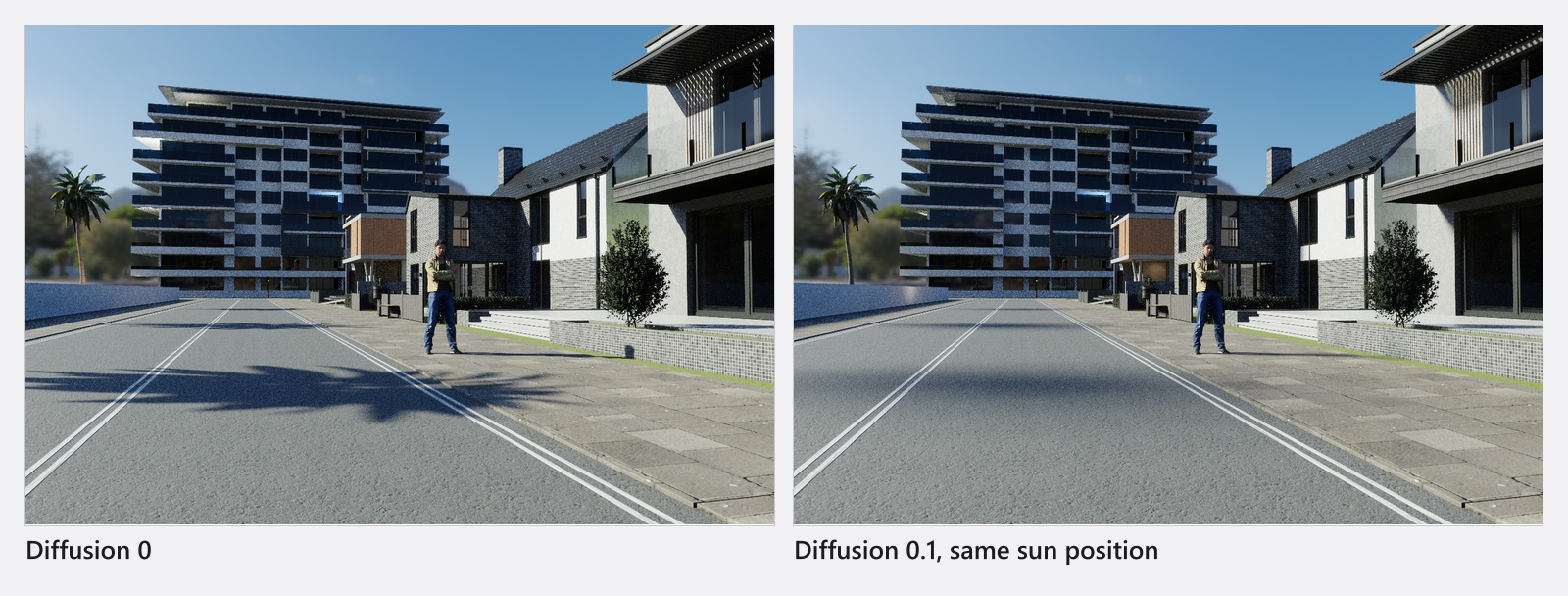
0…0.2) widens the sun into a larger source, the way a veil of atmosphere does. The maximum adds roughly11°to the sun’s angular radius, so a disc of about half a degree behaves like a source some twenty degrees across: the shadow edge softens while the light stays directional. At0the sun gets no extra softening of its own — but dense fog can still soften its shadows, see Fog and atmosphere.
What the sky image already decided
Picking a sky image seeds the whole sun: on, off, direction, altitude, brightness and diffusion. That is why the overcast map arrives with a sun four stops down and softened, and why the night map arrives with the sun switched off. The values in Settings are what the sun falls back to when nothing supplies them — in a normal set the selected map has overwritten all five. The per-map values are listed in Use an HDRI environment.
If you changed the sun and then picked a different map, your values are gone: the map seeds them again.
How to turn the scene against north
North Offset sits at the very top of the environment inspector, above the groups, and it rotates the whole scene’s orientation rather than one light. Since this release it turns the sun and the visible backdrop together, so the sky stays consistent with the shadows.
You can also drag the compass in the studio view, or press its needle button to align north with the direction the studio camera is currently facing. Sets saved with an older version are converted so that they look exactly as before.
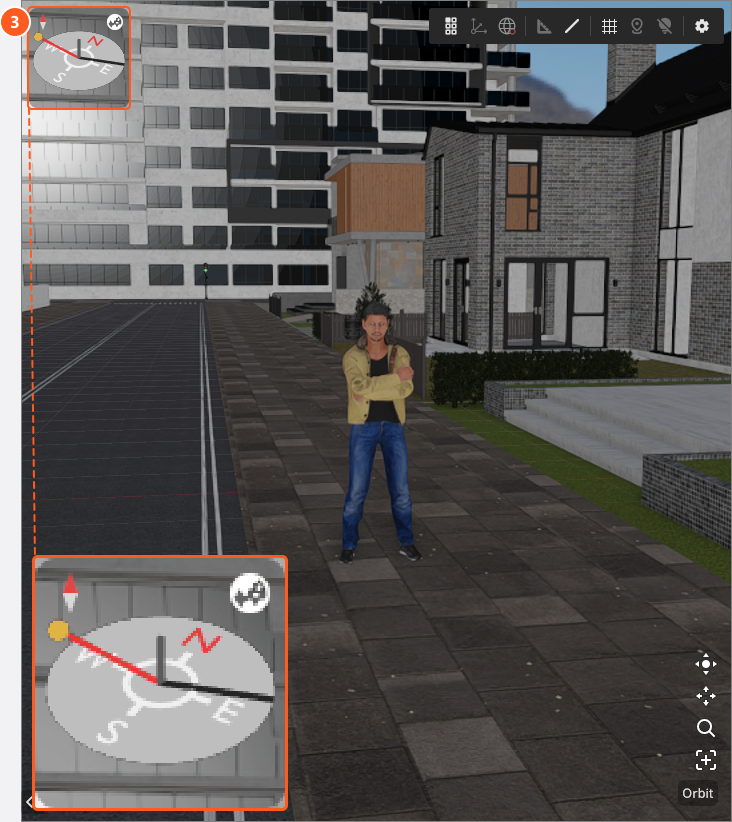
The Environment row in the set list shows the sun’s illuminance in lux while the sun is on. It is a computed value for the set as a whole, not a measurement at a point — for that, put a light meter where your subject stands.
Settings
| Setting | Range | Fallback | Animatable |
|---|---|---|---|
| Sunlight | on / off | on | yes |
| Sun Direction | 0° … 360° |
180° |
yes |
| Sun Altitude | -90° … 90° |
70° |
yes |
| Brightness | -10 … 0.1 stops |
0 |
yes |
| Diffusion | 0 … 0.2 |
0 |
yes |
| North Offset | any angle | 0° |
yes |
| Sample Portals | 0 … 1 |
0.5 |
no |
The first five rows are seeded by the sky image, which is why the column says fallback; North Offset and Sample Portals are plain property defaults that no map supplies. Everything except those two is in the Sun group. Sample Portals lives in the Rendering group at the bottom of the inspector and only matters when the light comes through a window — see Light a room through a window.
Tips & limits
- Diffusion widens the source, it does not put a diffuser in front of your subject. For that, use a panel from the EQUIPMENT tab.
- Soloing the Environment mutes your studio lights but keeps the environment complete, sun and sky image together. To judge the sun on its own, switch Environmental Light off as well.
- Sun, direction, altitude, brightness and diffusion can all be given keyframes, so a whole afternoon can pass over a set — see Animate sun, sky and atmosphere.
- Inside a closed room the sun is dropped from the calculation entirely. That is deliberate: daylight cannot get in without an opening.
Troubleshooting
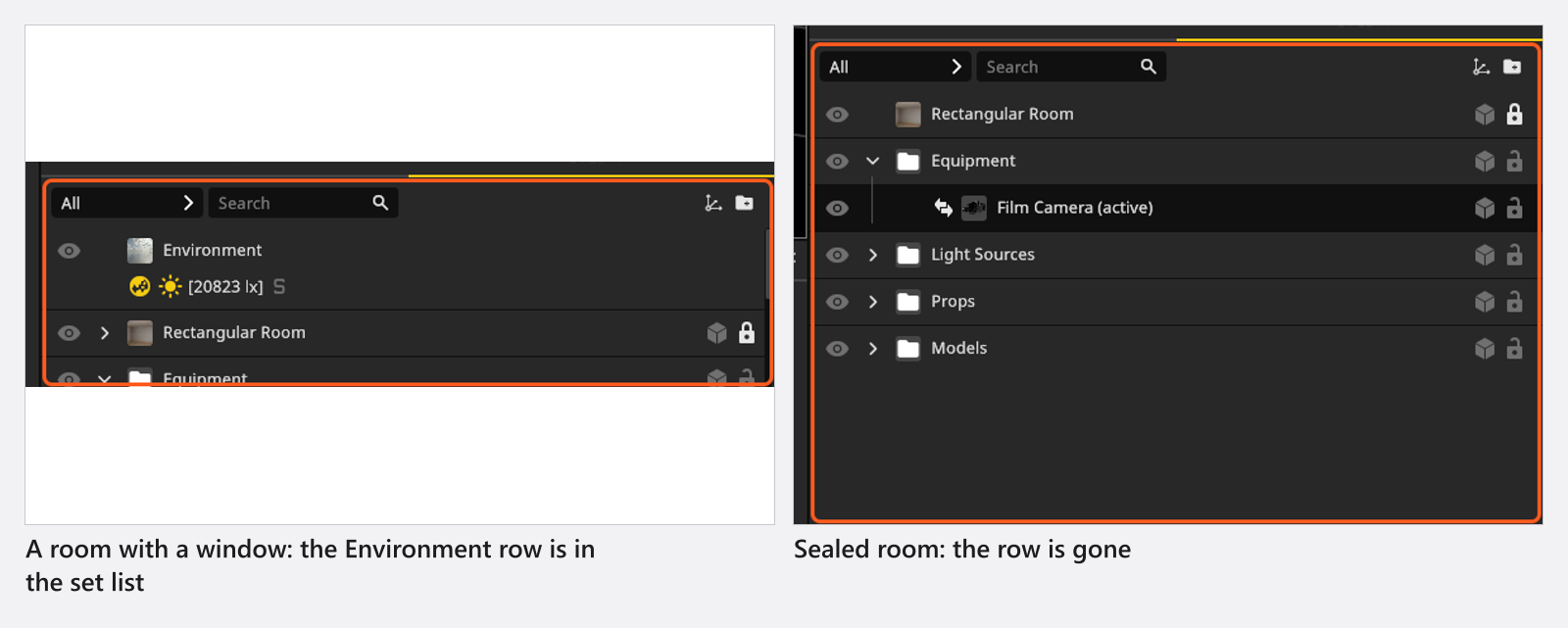
- The Environment row has disappeared from the set list. The active camera is sealed inside a room with no visible window or door, so sun and sky have no effect. Click the compass in the corner of the studio view to select the Environment anyway, and add a window or a door to a wall to let the light in.
- There is no Sun group in the inspector. The Baked Settings group under Background has been shut; it is open by default. Click its header and the sun is back.
- The sampling sliders are greyed out. Sample Portals needs the sun or the sky light switched on, a camera that is not enclosed, and at least one visible window or door. Sample Multiplier needs the sky light on and at least one other light switched on in the set.
- I am looking for a date, a time of day or a city. The sun is aimed by hand in this version: set Sun Direction and Sun Altitude yourself.
More symptoms: Lighting problems.