
 English
 Deutsch
 日本語
日本語 简体中文
简体中文 Français
Daylight is two lights: one hard sun from a direction you choose, and a whole sky filling the shadows. Outdoors you plan with both, plus the ground under the subject and whatever you bring to fight them. This page walks a low-sun portrait against a house front, and every stage points at the article that owns the detail.
Applies to BASIC, STUDIO, CINEMA · Importing your own 360° sky images needs CINEMA · You need: the start dialog, or a project open on the SETUP tab.
What you will have at the end
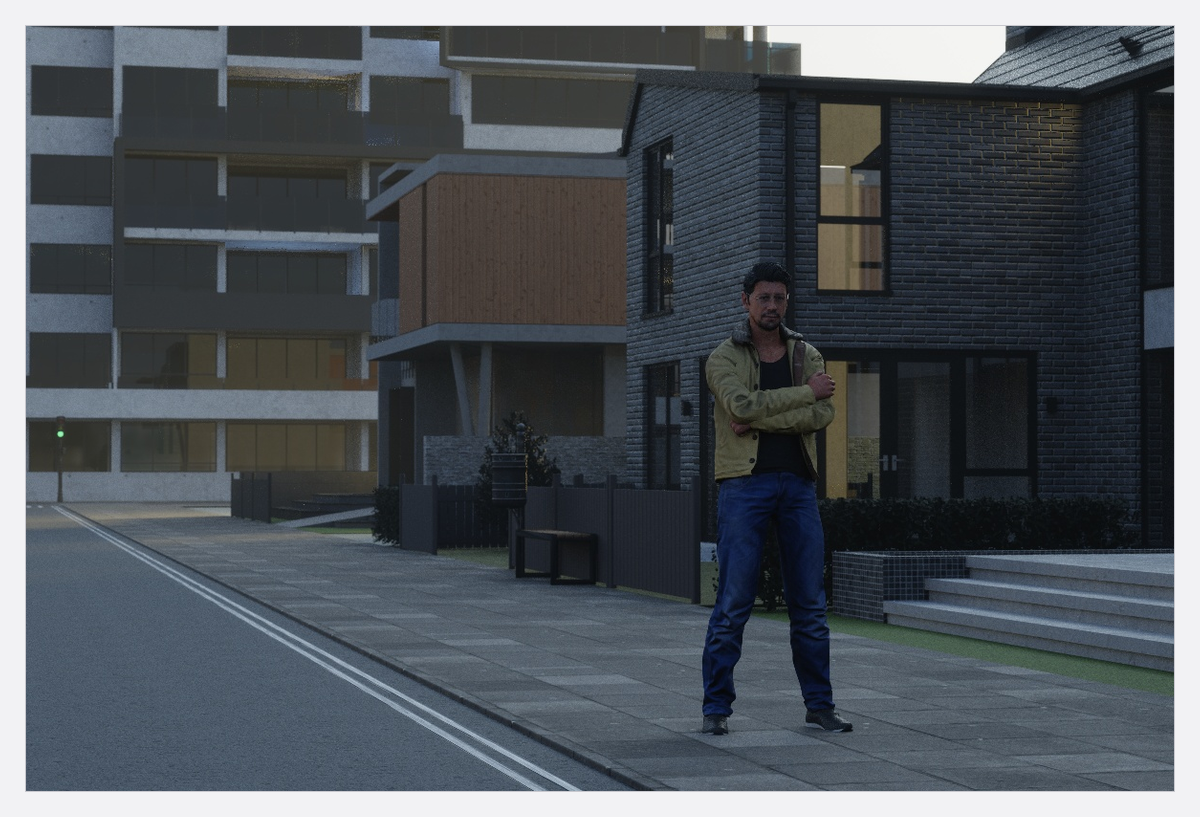
An exterior frame lit by sun and sky, with a ground that holds a sheen, one head of your own as fill, and a plan you can shoot at the hour you chose.
The route
- Work without a room. Start a new project and take the Outdoor card, or delete the room of an existing project — or hide it. Sun and sky are only switched off while the active camera stands inside a visible room with no visible opening. See Work without a room (outdoor scenes).
- Lay the ground. Drag a Floor in, pick its material, then set Scale so the pattern reads at your framing and Shine for dry or wet. A bare plane mirrors the sky, so Shine lifts the whole frame.
- Pick the sky image. Select the Environment — the first row of the set list, or the compass in the corner of the studio view — and choose one of the eight maps under Background. It is the fill, the backdrop and everything that turns up in a reflection. See Use an HDRI environment.
- Aim the sun by hand. The Sun group sits under Baked Settings, below the map button, and is open when you get there: set Sun Direction for the compass direction the light comes from and Sun Altitude for how high it stands. A low sun is dimmed and reddened for you, so lower the altitude for an evening look instead of gelling anything. See Light a set with the sun.
- Trim the character of that sun. Brightness takes it down in stops, Diffusion widens it into a larger source so the shadow edge softens while the light stays directional.
- Trim what the map brought with it. In the same group, Brightness in EV, Color Temperature and Rotation belong to the sky image. Rotation moves the brightest part of the sky, so it decides where your fill comes from as well as what is behind the subject.
- Turn the whole scene against north. North Offset at the top of the inspector — or a drag on the compass — turns the sun and the backdrop together, which is how you keep a real location’s orientation.
- Build only what the camera sees. One house front, one tree, a fence. Place the tall pieces first: they decide where the sun is blocked and where the fill comes from, so they are lighting instruments as much as scenery.
- Set your own light against the sun. Your heads work exactly as they do indoors; outdoors they are fighting a much larger source, so expose for the daylight first and bring your fill up against it. See Add and place lights and Set the exposure.
- Add atmosphere, then check the exposure again. Fog Density gives distance and visible shafts — and lifts the shadows, so the frame needs re-checking afterwards. See Fog and atmosphere.
The decisions a pro makes
- Which map, before anything else. It seeds the sun — on or off, direction, altitude, brightness, diffusion — so choose the sky first and shape the sun second.
- Altitude carries the hour. Direction decides where the shadows fall; altitude decides how long they are and how warm the light is. Set the altitude for the time of day you will shoot, then turn the whole scene with the compass until the shadows fall where the location puts them.
- Backlight or fill. A low sun behind the subject plus one bounce from the camera side is the cheapest outdoor portrait there is; a sun on the camera side needs a subtractive panel more than another light.
- Haze as a look, not as a fix. Atmosphere separates the subject from a busy location, and it costs render time at every quality level.
Pitfalls
- Pick the map first. Changing it later re-seeds the whole Baked Settings group from the new map: the sun (on or off, Sun Direction, Sun Altitude, Brightness, Diffusion) and the map’s own Brightness, Rotation and Color Temperature. Every value you tuned in steps 4 to 7 is replaced.
- Sun and sky vanish if the active camera ends up sealed inside a room. Cut an opening, hide the room, or move the camera out.
- Reflections come from the sky image, not from geometry you cannot see. If a glossy car panel looks wrong, rotate the map rather than moving the car.
- A ground plane is not endless. If the horizon shows a hard edge, make the plane larger instead of moving the camera.
- Judge fog and daylight in the camera preview or a render. The working view shows less fog on purpose.
- Your own 360° images need CINEMA, and a
.setfile does not carry them — send the image with the project. - There is no location, date or city to set in this version: Sun Direction and Sun Altitude are the whole placement.
What you have now
- An exterior set with no room, a ground you chose, and a sky that both lights and backs the frame.
- A sun aimed for the hour you plan to shoot, with the scene turned to the real orientation.
- A frame you can take to the location, and a shot list to build from: Plan a studio shoot from brief to set plan.
Troubleshooting
- A dark set or a missing Environment row: Lighting problems.
- Ground, props and measurements: Objects, rooms and measurement problems.