
 English
 Deutsch
 日本語
日本語 简体中文
简体中文 Français
3840 px on the long edge is the largest image set.a.light 3D writes. It is the size for a print, for a presentation on a large screen, and for any picture you want to crop into afterwards. It is also the most expensive setting in the application, so it pays to reach it in the right order.
Applies to STUDIO, CINEMA · You need: a saved project with at least one shot, and the RENDER tab.
Where to find it
RENDER tab → the gear in the bottom toolbar → Resolution → 3840 px. It is the first entry of the list, above 1920 px, and the same list is part of the Render Image dialog.
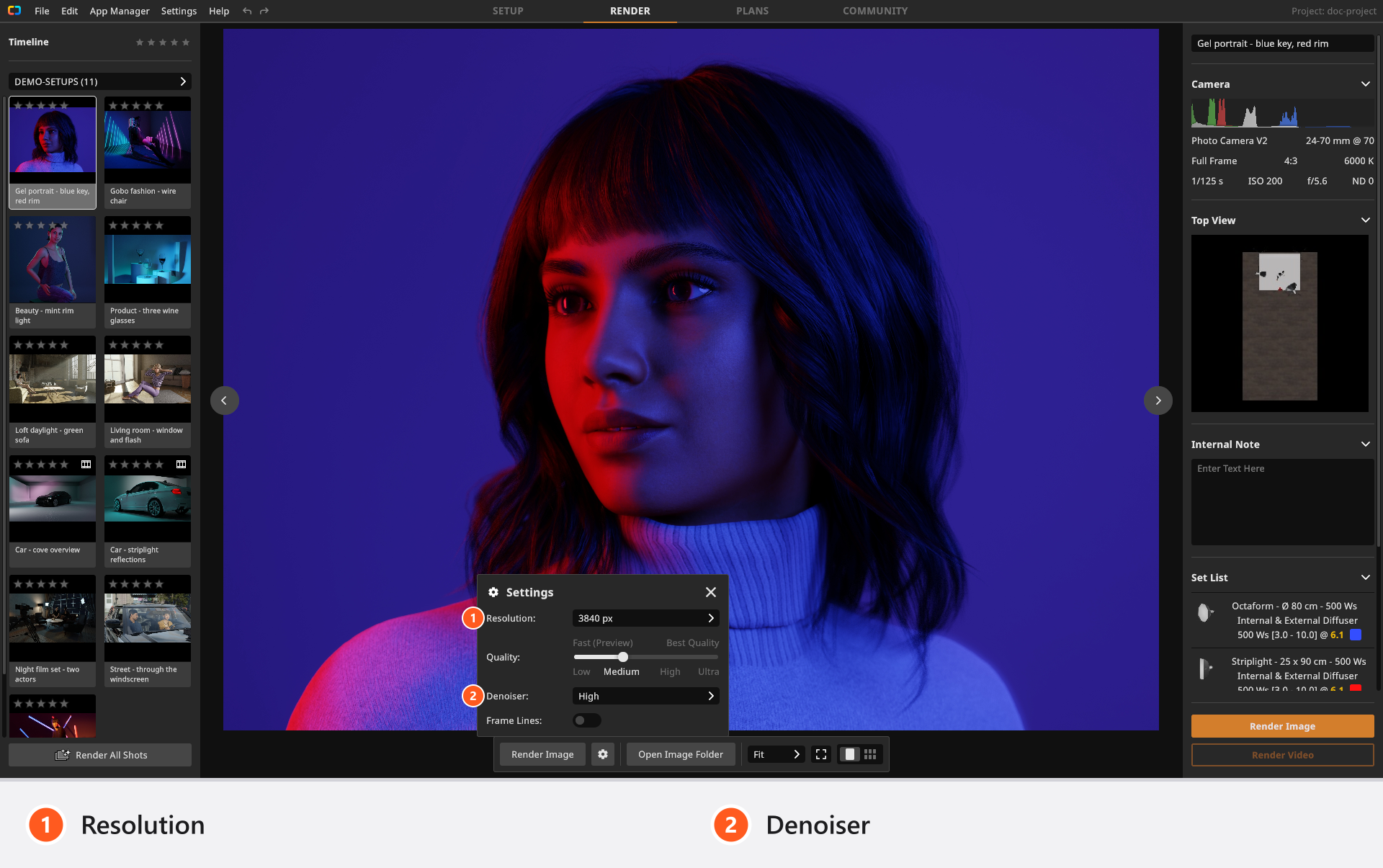
3840 pxWhat you get
3840 px is the long edge; the second edge follows the framing of the camera, and a portrait shot swaps the two:
| Camera framing | Image size |
|---|---|
| 3:2 | 3840 × 2560 |
| 4:3 | 3840 × 2880 |
| 16:9 | 3840 × 2160 |
| 1:1 | 3840 × 3840 |
The file is written like every other render: a JPG at quality 99, in the project’s image folder, named after the shot. At 300 dpi the long edge prints 32.5 cm (12.8 in) — a full page with room to crop.
How to render a shot at 3840 px
- Save the project. → The images land in the folder beside your
.setfile instead of a temporary cache. - Open the gear in the bottom toolbar and set Resolution to
3840 px. Leave Denoiser onHigh: noise is more visible in a large picture. → The popup closes when you click outside it, and the setting applies to the next render. - Select only the shots you actually deliver and click Render Image. → The render controls appear over the picture with the sample count and an estimate of the time remaining.
Do not use Render All Shots for this step. It skips every shot that already has an image, so it will not upgrade the small renders you made earlier — it only fills the gaps.
Work small, deliver large
The lighting result does not change with the resolution, so there is no reason to build a set at the delivery size.
- Build and light with Resolution at
800 pxor1200 px. Judge exposure, shadow edges and reflections on those small renders — they are the same calculation, and they come back in a fraction of the time. - Check framing, focus and expression on the small renders too, and fix them there. Every correction after the big render costs the big render again.
- Only then switch to
3840 pxand re-render the finalists. Pointing at a tile in the gallery and using Re-Render Shot is the quickest way for one or two pictures. - Start a long batch when you do not need the machine. A render keeps the graphics card busy, and Cancel discards the image that is currently being calculated.
What it costs
Four times the pixels of a 1920 px render, and about ten times the pixels of the default 1200 px. The list prints the estimate beside the entry — 4x slower when you come from 1920 px — and that estimate is pixel arithmetic, not a measured time.
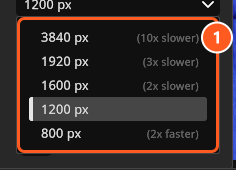
The factor multiplies with the quality level, so Ultra at 3840 px is the largest size at the highest sample budget: the longest wait the application has to offer. High at 3840 px already loads every texture at full size and is the sensible delivery setting for most work.
A large image also needs more graphics memory, because it is held on the graphics card at full size while it is calculated. There is no published minimum for it. If a large render will not run on your machine, work through the levers in this order: resolution first, then the quality level, then the things in the set that cost the most per ray — fog and haze, and a set full of people. Make it faster has the details.
Which edition offers it
(STUDIO+) The 3840 px entry appears in the list, and applies, with a STUDIO or CINEMA licence. With a BASIC licence the list offers the four sizes up to 1920 px, and 1920 px is also the largest picture BASIC renders.
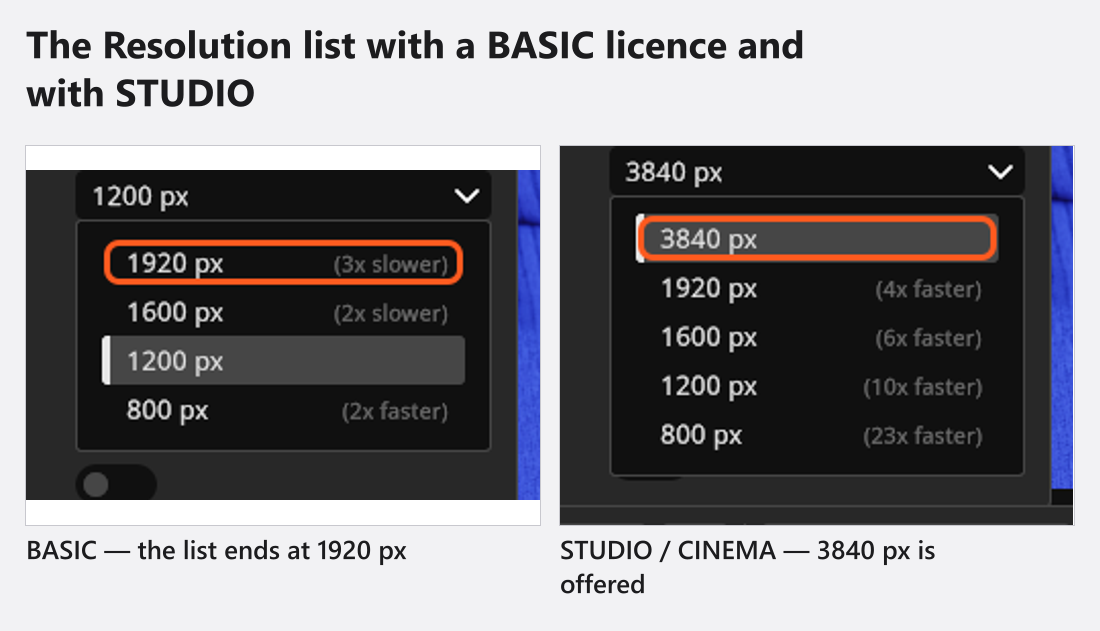
3840 px is only offered by STUDIO and CINEMAIf 3840 px was selected while you had a STUDIO licence and the licence later becomes BASIC, the entry disappears from the list and is no longer used either: renders come out at 1920 px. The stored choice survives, so an upgrade brings it back. See BASIC, STUDIO and CINEMA compared.
What changes with the size — and what does not
The lighting does not change. The detail does, which is the reason for the wait:
One thing follows the output size: in a set with five people or more, the automatic detail level of hair and eyebrows is chosen against the height of the image. A crowd shot can therefore differ slightly between a small test render and the delivery. Look at such a shot at the delivery size before you sign it off.
Tips & limits
- A re-render overwrites the JPG of that shot without asking. Copy the
1200 pxversion out of the project folder first if you want to keep it — renaming the shot moves the existing file with it. Ultrais not a requirement for a large image; the difference betweenHighandUltrais indirect light and a larger sample budget, not texture detail —Highalready loads every texture at full size.- Frame lines are burned into the file when the setting is on. Check it before a delivery batch.
Troubleshooting
- The render will not start, or nothing was written. → Render problems
- A large render takes hours. → Make it faster