
 English
 Deutsch
 日本語
日本語 简体中文
简体中文 Français
Rooms, props, windows and measurement lines all have rules that only show themselves when you push against them. This page names the rule behind each symptom, in the order you are likely to meet them while building a set.
The object will not move
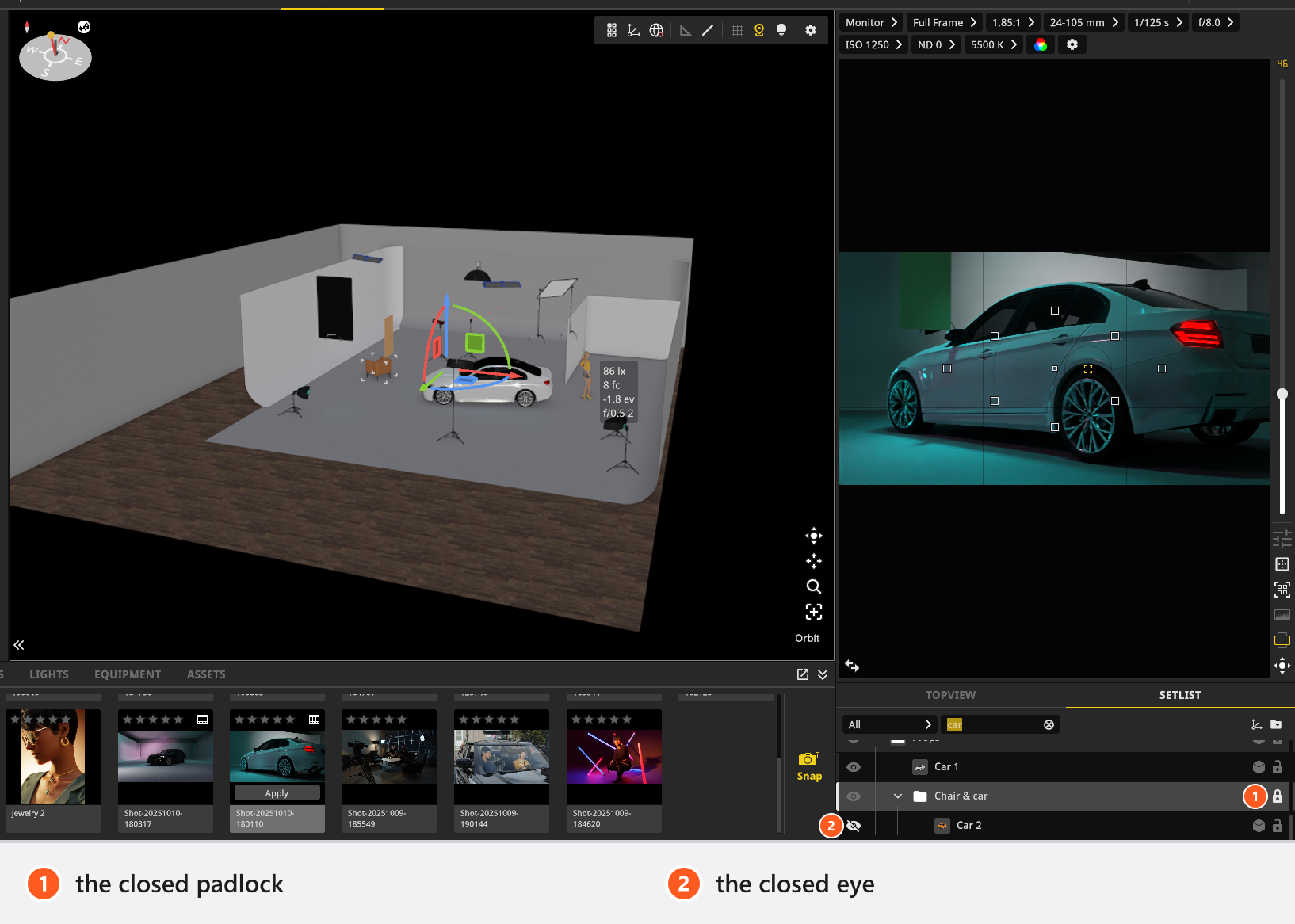
Cause. The row is locked in the set list. A locked selection reports Objects are locked when you try to transform it.
What to do. Unlock the row, or press L (by default) with the object selected. Locking is per object: locking a group does not lock what is inside it, so select the objects themselves when you want them all locked. See Select, move and measure objects.
There is no Scale field
Cause. Most objects on the set are not scaled, they are sized. A room, a background, a wall element and a floor carry Size; basic shapes carry Shape.
What to do. Use Size or Shape. What each object offers is listed in Props, basic shapes and mirrors.
A group has no transform fields
Cause. A group is moved with the handles in the studio view and has no numeric fields of its own.
What to do. Use Convert to Axis if you need to type coordinates for the whole group: the axis object it becomes has fields.
Daylight does not come into the room
Cause. While the camera stands inside a closed room, the sun and the sky are suppressed on purpose — they cannot reach an interior with no opening, so the environment light, the sun and the studio-view background are all switched out. The Environment row disappears from the set list at the same time, which is the visible clue.
What to do. Cut an opening: a window or a door portal in a wall. Or work without a room. See Light a room through a window and Work without a room (outdoor scenes).
A room preset changed my colours
Cause. That is what a preset stores. It carries the colours and textures of the room, so applying one replaces yours.
What to do. Save your own preset before you try someone else’s, and undo if you applied one by accident.
I dropped a room and now there are two
Cause. Dropping a room onto an existing one replaces it; dropping it into free space creates a second one.
What to do. Delete the room you do not want. With two rooms visible, the Zero point menu lets you choose which one your coordinates are measured from — see Set the zero point for measured positions.
My floor colour reset itself
Cause. Choosing a material applies that material’s own colour and surface properties, including its shine.
What to do. Pick the material first, then set the colour. In that order nothing is overwritten.
The window has no Open slider
Cause. Not every window model has an opening. The ones that do carry the slider; the others do not.
What to do. Use the model that opens. Which one is which is in Build a room, a background and a window.
I cannot type the window offset I want, and the window will not rotate
Cause. Both come from the window being part of a wall. Its offset is clamped to the wall it sits in, and its orientation is the wall’s orientation.
What to do. Move or rotate the wall, or detach the window first and place it freely.
My prop has only a colour swatch, and some material fields are grey
Cause. Two different rules. A material slot that cannot be swapped offers its colour and nothing else. And the fields of a part that is currently hidden are greyed out, because there is nothing on screen to change.
What to do. Show the part with its eye icon to get its fields back. What each material control does is in Change the surface of an object.
The prop jumped when I attached it
Cause. Attaching puts the object at the mounting point with its offsets cleared. That is deliberate: the mounting point is the new zero for that object.
What to do. Set the offsets you want after attaching, not before. See Attach one object to another.
A measurement drag created nothing
Cause. Both ends of a measurement line have to land on something. A drag that ends in empty space has no second point.
What to do. End the drag on a surface, an object or a wall. Measurement mode and the visibility of the lines are two different switches — both are in Select, move and measure objects.
Showing one object revealed several
Cause. An object cannot be visible while its parent is hidden, so making it visible makes its parents visible too.
What to do. Hide the ones you did not want again, or hide the parent instead of the child in the first place.
My position numbers changed after I opened an old project
Cause. Position is measured from the zero point, and the zero point of that project is not necessarily the one you work with now. The numbers describe the same place in a different frame of reference.
What to do. Check the Zero point menu to see which entry is ticked, and set it to what your measurements assume. Height is never re-based: it stays world height whatever the zero point is. See Set the zero point for measured positions.
My shortcut stopped working
Cause. Shortcuts follow the panel under the pointer, and they are suppressed while you are typing in a field, while the built-in browser has the focus, and while a mouse button is held.
What to do. Move the pointer over the panel the key belongs to and click somewhere neutral first. The contexts are listed in Keyboard shortcuts.
Redo disappeared
Cause. Making a new edit after an undo discards everything that was ahead of you — the usual rule. The history is also capped, at 99 steps, so a very long session drops its oldest entries.
What to do. Nothing recovers a redo you have overwritten. For anything you may want back, take a shot before you experiment: shots are the reliable way to keep a state — see Take and manage shots.