
 English
 Deutsch
 日本語
日本語 简体中文
简体中文 Français
Not every shot happens between four walls. With no room in the way the light comes from the environment — the sun and the environment map — instead of bouncing off a ceiling. That is the setting for location portraits, car shots, architecture, or a background that is not a paper sweep. By the end of this page you can start an outdoor project, lay a ground and build a location the camera believes.
Applies to BASIC, STUDIO, CINEMA · You need: the start dialog, or a project open on the SETUP tab.
Where to find it
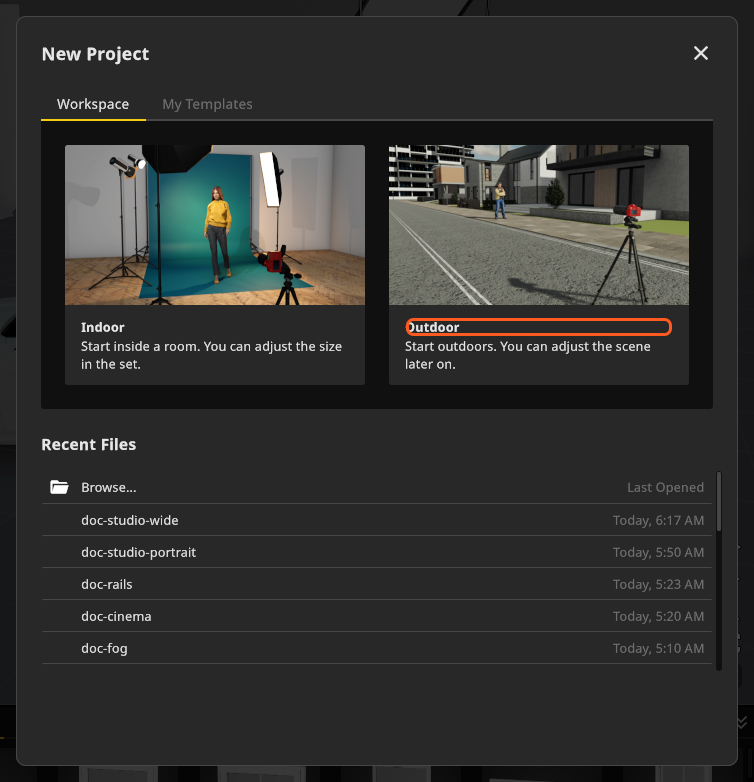
Start a new project and pick the Outdoor card: Start outdoors. You can adjust the scene later on. The scene opens without a room, so the environment lights the set from the first frame. The other card, Indoor, opens inside a room.
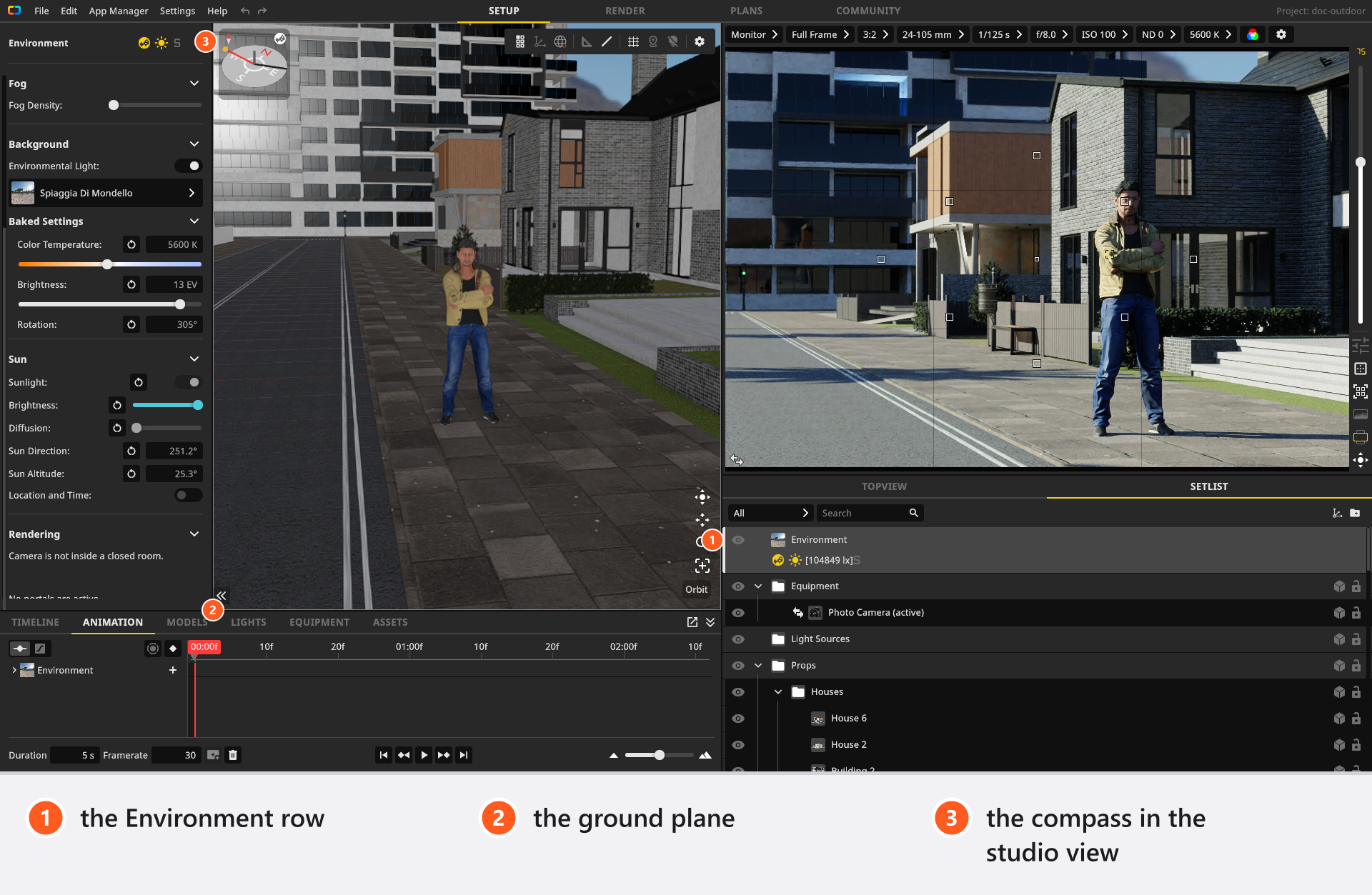
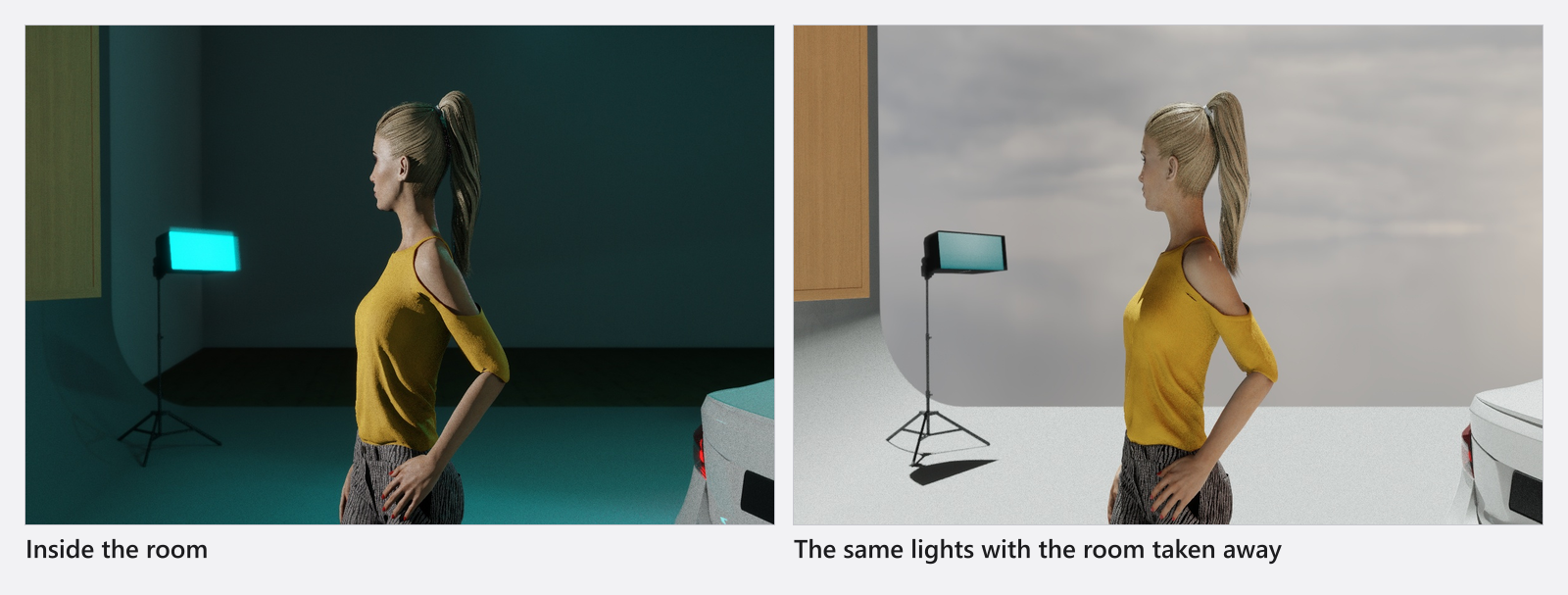
An existing indoor project gets there too: delete the room, or hide it with the eye button in the set list. Both work, because sun and sky are only switched off while the camera stands inside a visible room that has no visible opening.
Where the light comes from outdoors
Select Environment — the first row of the set list — and the whole daylight rig is in one inspector:
- The sun, in the Sun group: Sun Direction (0°–360°) and Sun Altitude (−90°–90°, default 70°), with Brightness and Diffusion for how hard the shadows are. See Light a set with the sun.
- The environment map: eight ship. It is the sky, the surroundings and everything that turns up in a reflection; you can rotate it and change its Brightness in EV. See Use an HDRI environment.
- Fog Density (0–0.5, default 0) for depth and visible beams. See Fog and atmosphere.
Your flash and continuous heads work exactly as they do indoors — they are fighting a much larger source.
How to lay the ground
Outdoor sets stand on a Floor: a flat ground plane in the ASSETS tab under the Outdoor tag, 50 × 50 m as it arrives and adjustable from 0.1 m to 1000 m per side.
- Drag the Floor into the scene, then open Material and pick a surface. Forty are available — asphalt, carpet, cobblestone, concrete, grass, marble, stone, tiles and wood — and the list opens with No Texture for a plain colour. → Picking one also writes its own Color and Shine, so choose the material first and fine-tune afterwards.
- Set Scale (0.4–2.5) so the pattern reads at the right size for the framing, and Color to tint it.
- Under Shape, set Width and Height of the plane and its Thickness (0–0.2 m), which gives the ground a visible edge where it ends.
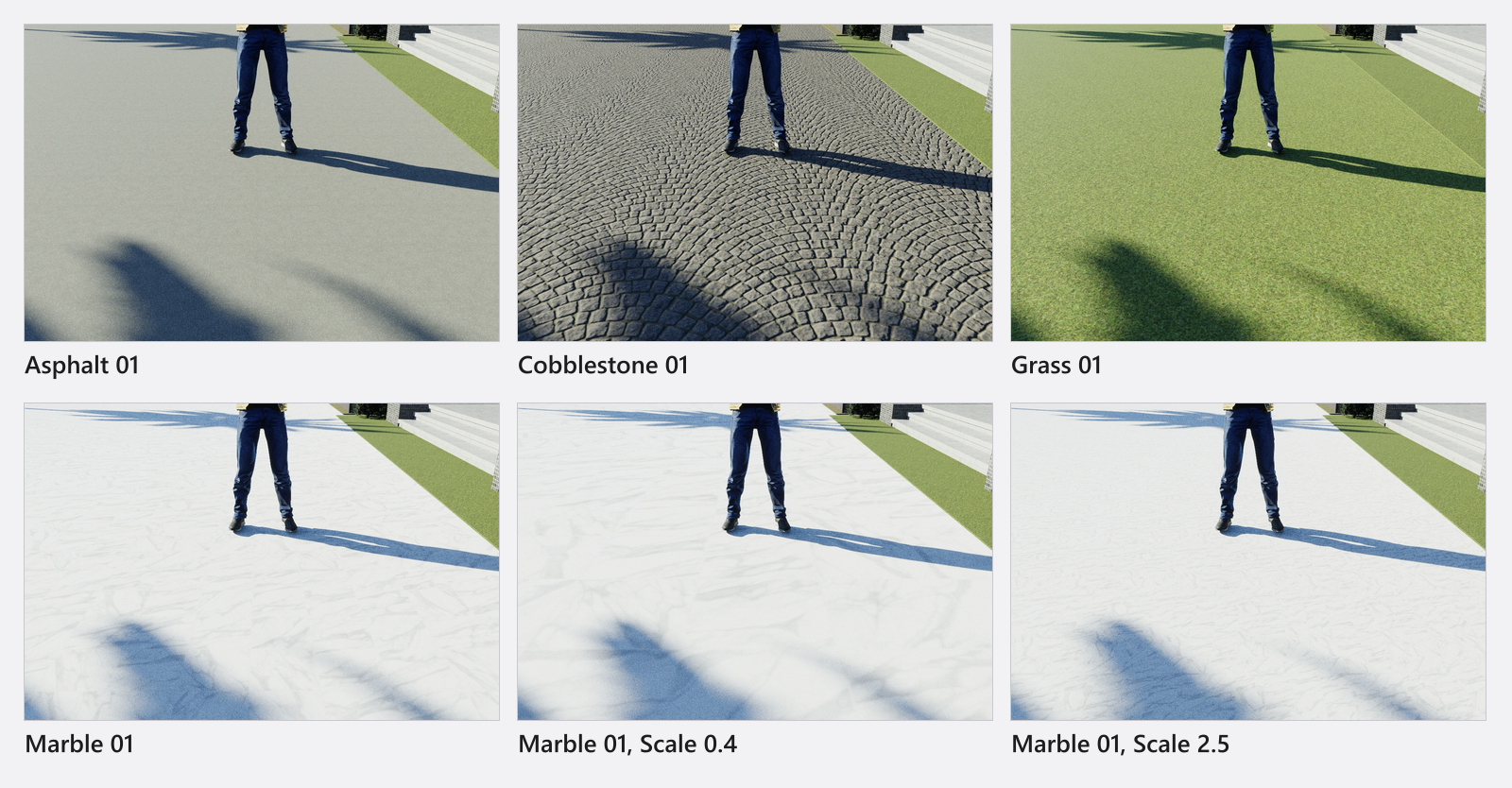
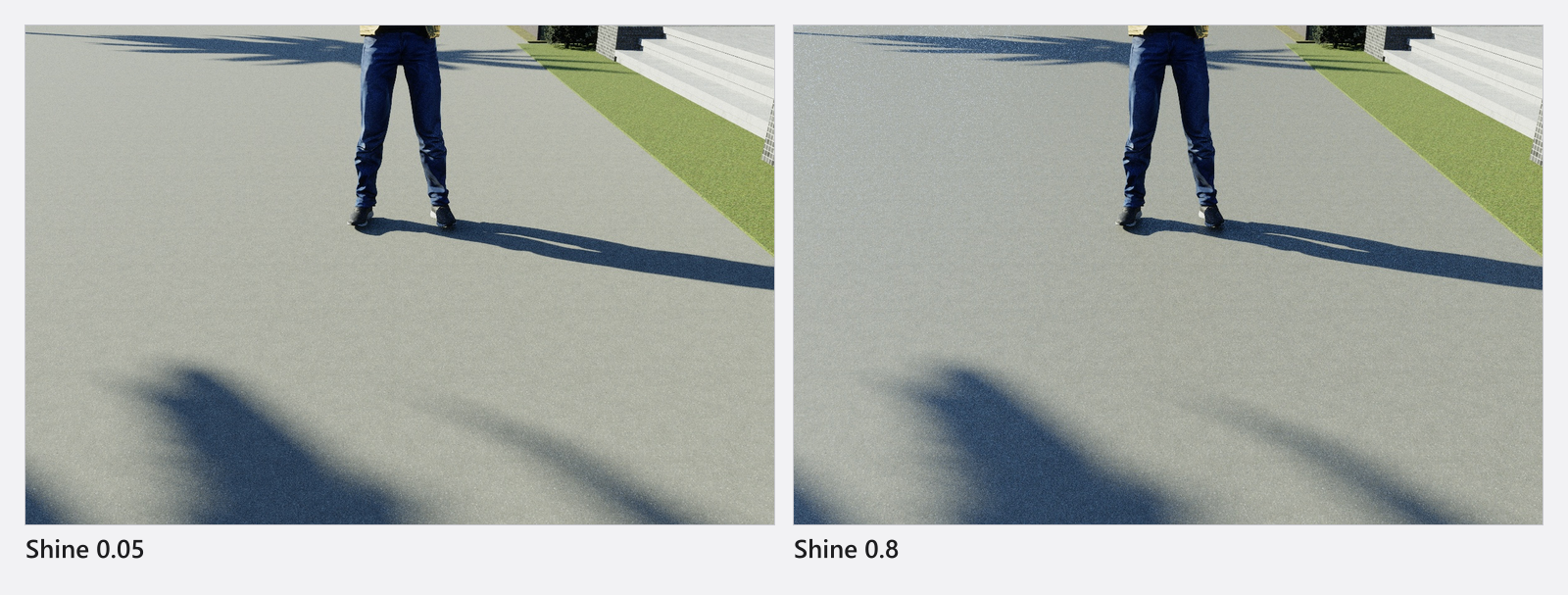
Shine (default 0.24) is the control that decides whether the ground looks dry or wet. A bare plane under an environment map mirrors the sky, so a high value lifts the whole frame:
Floor
| Setting | Range | Default | Unit | Animatable |
|---|---|---|---|---|
| Color | white | yes | ||
| Scale | 0.4 – 2.5 | 1 | no | |
| Shine | 0 – 1 | 0.24 | yes | |
| Thickness | 0 – 0.2 | 0 | m | no |
| Width / Height | 0.1 – 1000 | depends on the room | m | no |
How to build the location
Everything else is a prop. The Outdoor tag holds 70 tiles — houses, apartment blocks and skyscrapers, streets and crossroads, brick walls with openings, fences, safety rails, barricades, scaffolds, benches, bins, traffic lights and cones, a playground — and the Plants tag adds 21 trees, palms, shrubs and pots.
Two rules of thumb:
- Build only what the camera sees. One house front and two trees carry a portrait; a whole city block costs render time for nothing.
- Place the tall pieces first. Buildings and walls decide where the sun is blocked and where the fill comes from, so they are lighting instruments as much as scenery.
A Wall Element works outdoors as well, and a window or a door from Doors & Windows snaps onto a free-standing wall element exactly as it does onto a room wall. That is how you shoot through a window front without putting a room around the set — see Build a room, a background and a window.
A worked example: a car at the kerb
You want an evening three-quarter shot of a car outside a house. Start from the Outdoor card. Lay a Floor, set its material to cobblestone and Shine to about 0.3 so the stones hold a sheen. Take Sun Altitude down to 10° and turn Sun Direction until the light rakes along the street. Put one house front and one tree on the sun side only — they are what makes the shadow on the car read. Then add a single large source from the camera side to open up the near flank, and check the exposure again: the wet-looking ground has started bouncing light back up into the wheel arches.
Tips & limits
- Meter the sun first. Set the sun and the environment brightness, then add your own heads against them — the same order you would work in on location.
- Reflections come from the environment map, not from geometry you cannot see. If a car or a glossy prop looks wrong, rotate the map instead of moving the object.
- Raising Fog Density adds depth to a wide exterior but also lifts the shadows. Check the exposure again afterwards.
- A ground plane is not endless. If the horizon shows a hard edge, make the plane larger rather than moving the camera.
Troubleshooting
- Everything went dark when I added a room. The camera is now inside a closed room. Cut an opening into a wall, hide the room, or move the camera outside it.
- My ground colour reset itself. Choosing a material applies that material’s own colour and shine. Pick the material first.
- The ground is far brighter than the subject. It is mirroring the sky. Lower Shine or take a matte material.
More symptoms: Objects, rooms and measurement problems