
 English
 Deutsch
 日本語
日本語 简体中文
简体中文 Français
Six camera mounts ship in the library, and they are not interchangeable: each one exposes only the axes its mechanics have, and a field that is missing is missing on purpose. This page is the table to check before you plan a move — or when you think an axis is broken.
Applies to BASIC, STUDIO, CINEMA · The four film rigs need STUDIO or CINEMA.
The six mounts
| Mount | Type | Edition | What it is |
|---|---|---|---|
| Photo Tripod | Photo | all | The stand a newly placed camera arrives on unless you changed Default Rig (see Set up your own camera kit) |
| Column Stand | Photo | all | A studio column with a sideways offset |
| Film Tripod | Film | STUDIO, CINEMA | A heavy tripod for the film bodies |
| Camera Crane | Film | STUDIO, CINEMA | A crane with a telescopic arm on a low base |
| Dolly | Film | STUDIO, CINEMA | A wheeled dolly, at home on a track |
| Fisher 10 | Film | STUDIO, CINEMA | A low wheeled dolly, also for a track |
Both wheeled mounts are placed from two wheel positions when they ride a track, which is what keeps them turning smoothly across the joint between two segments — see Build a dolly track.
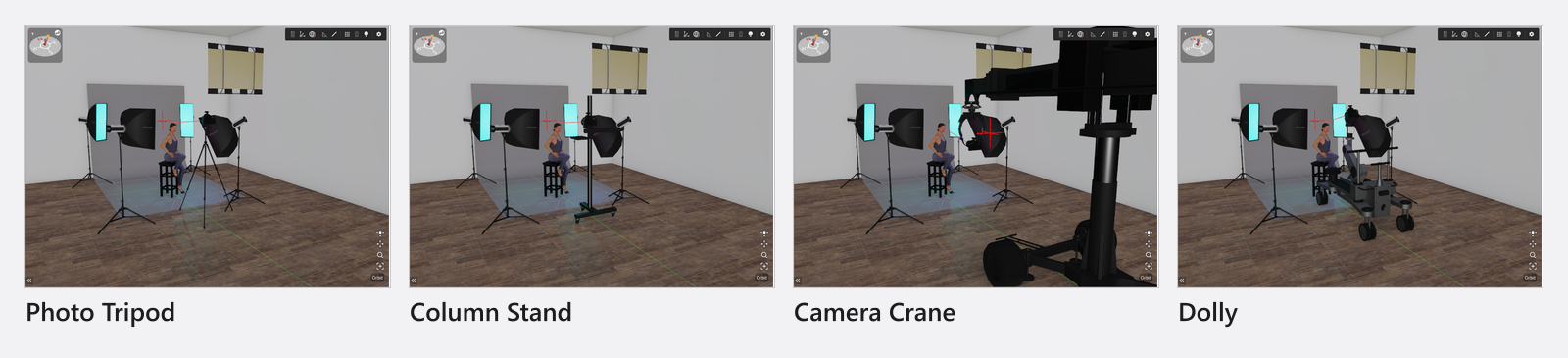
Which axes each mount has
The mount’s group in the inspector shows exactly the rows listed here. All lengths are metric; with Unit of Measurement set to imperial you read feet and inches instead.
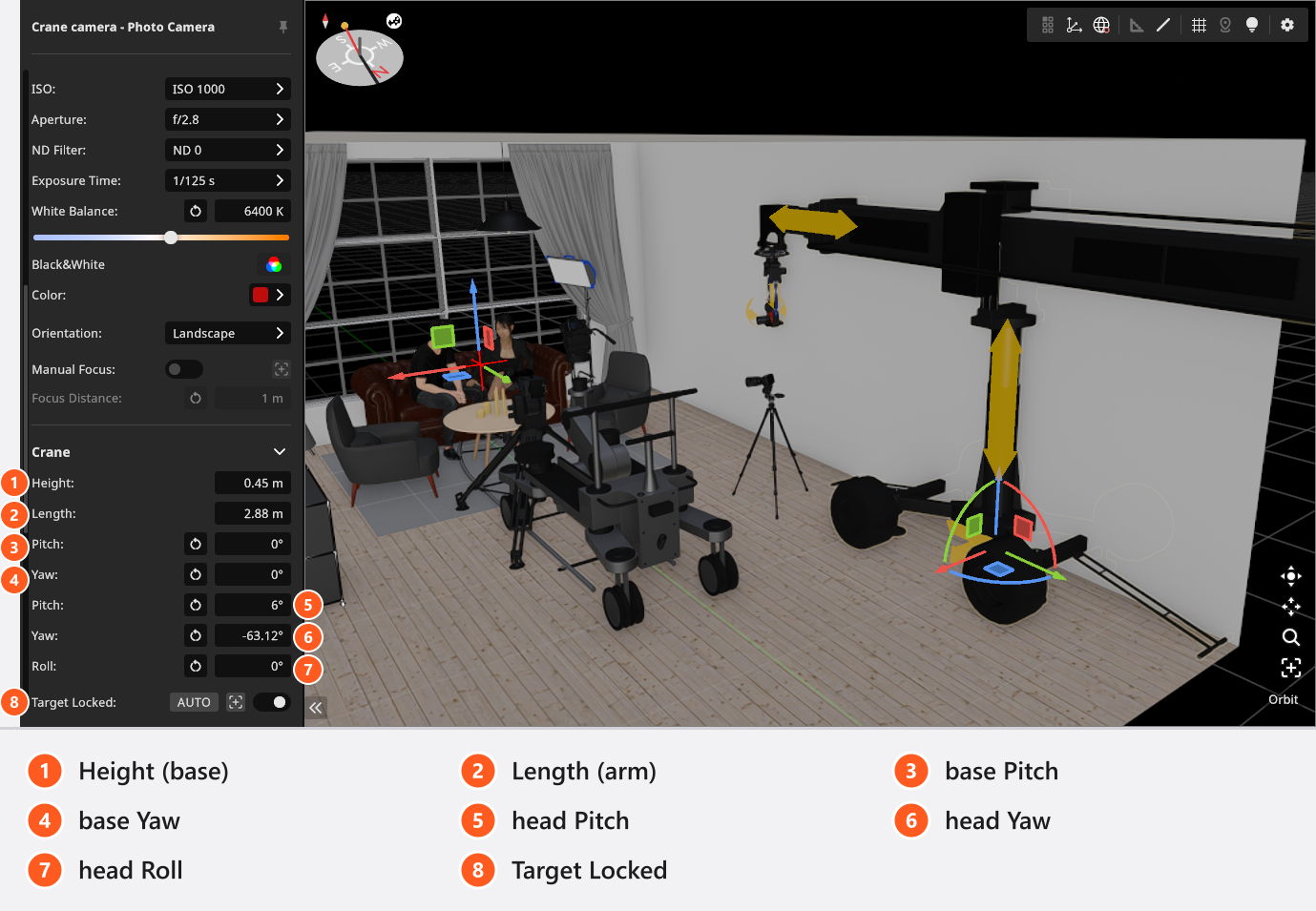
On the crane, which is the only mount with movable base angles, Pitch and Yaw appear twice: once for the base, once for the head that carries the camera. Roll is a head angle only — no mount has a base Roll.
| Mount | Height | Offset | Length | Base Pitch / Yaw | Head angles |
|---|---|---|---|---|---|
| Photo Tripod | any value | — | — | — | Pitch, Yaw, Roll |
| Column Stand | 0.37–2 m |
-0.48–-0.1 m |
— | — | Pitch, Yaw, Roll |
| Film Tripod | any value | — | — | — | Pitch, Yaw, Roll |
| Camera Crane | 0–0.45 m (base) |
— | 2.875–13.475 m |
Pitch -42–42°, Yaw -180–180° |
Pitch, Yaw, Roll |
| Dolly | 0.96–1.97 m |
— | — | — | Pitch, Yaw |
| Fisher 10 | 0.385–1.521 m |
— | — | — | Pitch, Yaw |
Head angles are not limited on any of the six mounts, so the framing is never blocked by the stand.
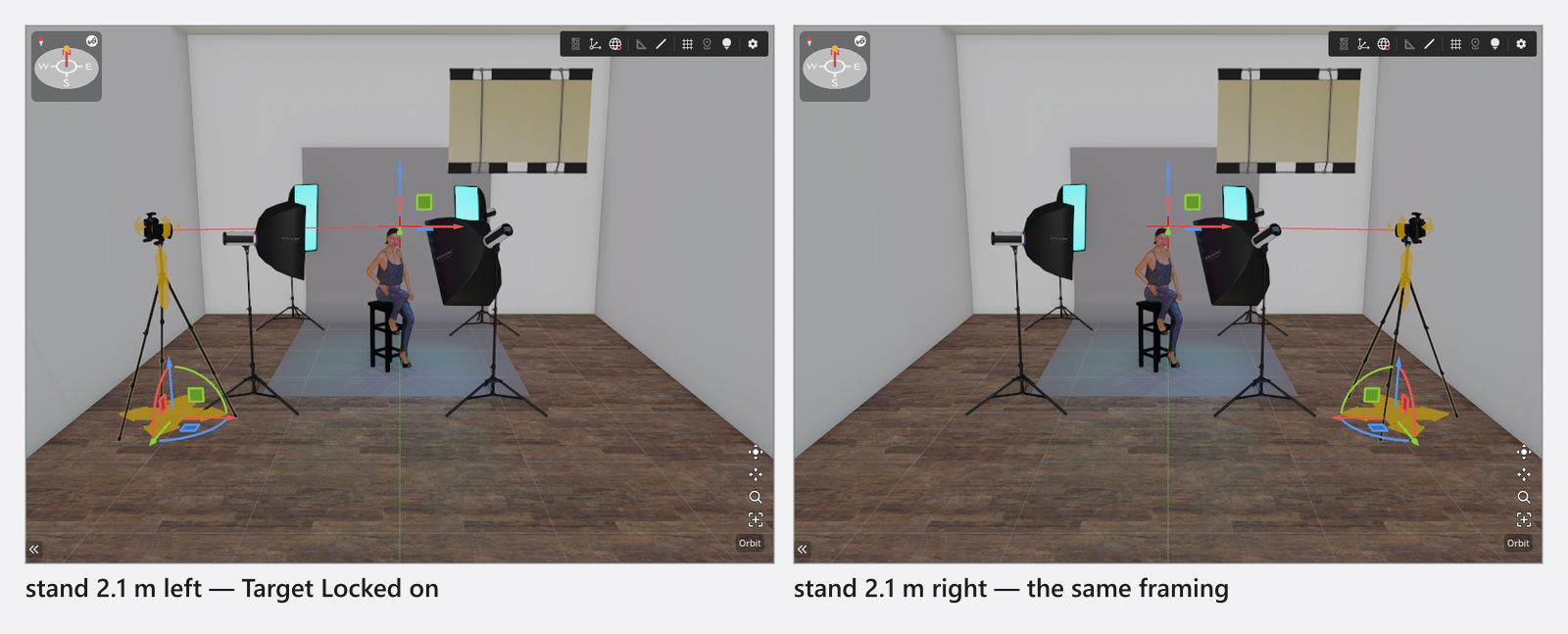
Every mount also carries the target group — Target Locked, AUTO, Update the Target Point and the three Target coordinates — described in Camera rigs and height. It works the same way on all six: the base moves, the head keeps the framing.
What Height means on each mount
Height always raises the mount’s own body, and that is not always the camera:
- On the Photo Tripod, the Column Stand and the Film Tripod it is the column, so it is the camera’s height above the floor.
- On the Camera Crane it is the elevation of the base, and the base is low:
0to0.45 m. The camera’s height comes from Length, the arm extension, together with the base Pitch. - On the Dolly and the Fisher 10 it is the ride height of the platform, limited by the mechanics of the model.
So for an eye-level portrait you set Height on a tripod or the Column Stand, while on the Camera Crane you get there by extending the arm and pitching the base — its Height hardly moves the camera at all. On the two wheeled mounts the range is the platform’s, which is why they stay in the low, rolling register a dolly is used for.
Why two mounts have no Roll
The Dolly and the Fisher 10 carry a fluid head, which tilts and pans but does not roll, so their group has Pitch and Yaw and no Roll. The other four mounts carry a head with all three. A camera that has to be rolled on purpose — a tilted horizon — therefore belongs on a tripod, a column stand or the crane. Portrait is not affected: Orientation turns the camera on its plate, so a portrait frame from a dolly stands upright like any other.
Why a tripod can disappear
The two tripods accept any height you type: the value is not clamped to what the model can reach. While the height is inside the range the model covers — about 0.37–4.82 m on the Photo Tripod and 0.5–3.8 m on the Film Tripod — the stand is drawn and its legs follow the column. Outside that range the stand is hidden instead of stretched, and only the camera remains visible. Nothing is broken: bring the height back into range and the stand comes back.
The Column Stand, the Camera Crane, the Dolly and the Fisher 10 clamp their Height to the ranges in the table instead, so they cannot reach that state.
What can be animated
| Setting | Animatable |
|---|---|
| Height, Offset, Length | yes, on the mounts that have the axis |
| Base and head Pitch / Yaw / Roll | yes, on the mounts that have the axis |
| Target Locked, the target point | yes |
| Showing and hiding the stand | no |
| The choice of mount | no |
Keyframes need the Animation Tool add-on, and a value keyed on an axis the mount does not have has no effect. Showing and hiding the stand is saved with the shot, but it takes no keyframes. The full matrix for every object is in What can be animated.
Your own mounts
A mount you build yourself is a named copy of one of the six above and offers exactly the same axes as its template — see Set up your own camera kit. The film templates are not offered with a BASIC licence.