
 English
 Deutsch
 日本語
日本語 简体中文
简体中文 Français
A client brief — one beauty portrait, warm skin, a delivery for print and for a feed — becomes a lit set, a metered lighting ratio and a plan your crew can build without you. This page is the route through the whole manual: eleven stages, each with the article that carries the detail. Nothing here teaches a single control; it tells you the order to reach for them in.
Applies to BASIC, STUDIO, CINEMA · Measuring the ratio needs the Light Meter (STUDIO or CINEMA) · You need: the program running, and a brief that names the subject, the look and the delivery formats.
What you will have at the end
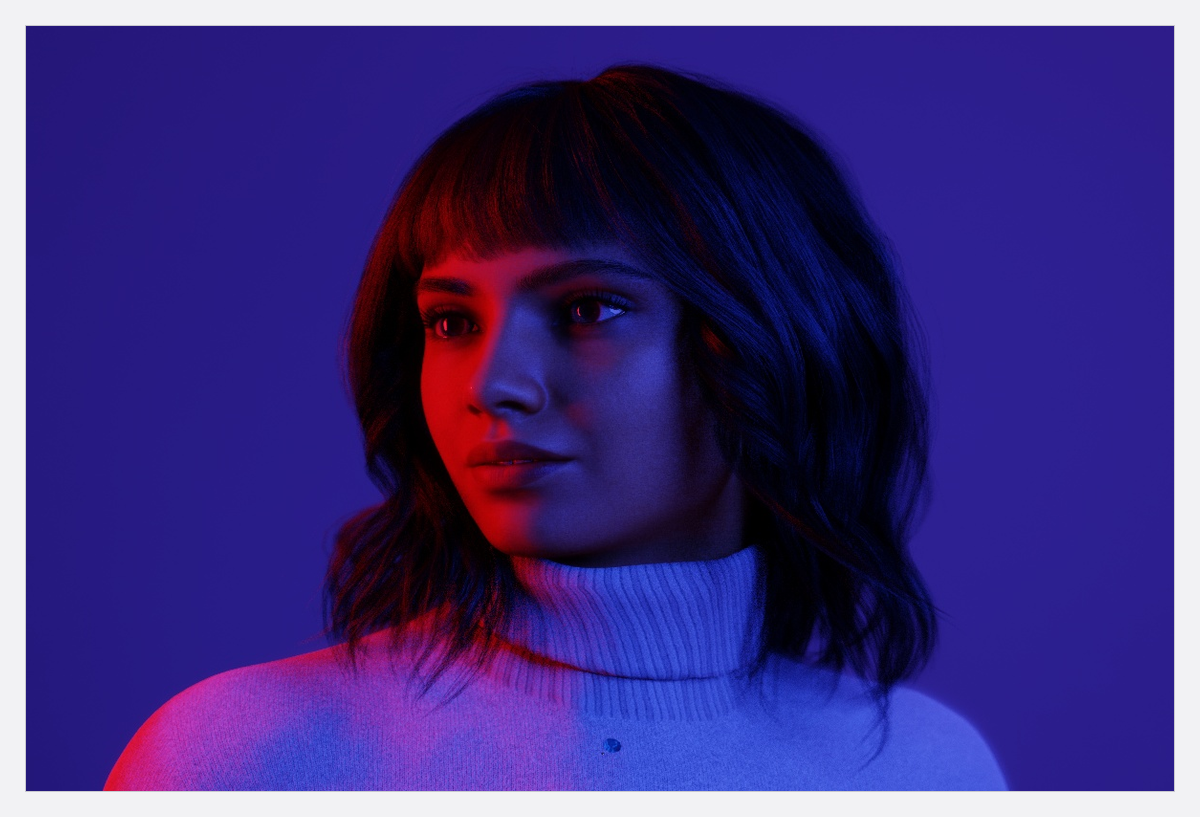
A saved project holding three lit variations of one portrait, a rendered image per variation, and a PDF with a cover, a storyboard, one page per shot and the equipment list for the van.
The route
- Start the project and save it. Choose File → New Project → Indoor, then File → Save Project As and give it the job’s name. → Renders and the image folder now have a stable place on disk. See Create, open and save a project.
- Build the room to the studio you will shoot in. Set its measurements, then the surface colours: a small bright room fills shadows for free, a large dark one does not. Put the background in it. See Build a room, a background and a window.
- Place the subject before the lights. Drop a preset in and leave two metres between the model and the background so the key does not spill onto the paper. Turn the shoulders a quarter towards where the key will stand. See Put a model on your set.
- Set the key. Drag one head in, fit the shaper the look asks for, and aim it with Rotate Light Towards Model. A new flash arrives four stops below its maximum, so you build the light up rather than down. See Add and place lights, Choose and fit a light shaper and Aim a light (target lock).
- Open the shadow side. A reflector on the opposite side, a scrim in the beam, or a Light Blocker where the room feeds too much light back. One change at a time, judged in the camera preview. See Soften, bounce and subtract light.
- Put a number on the ratio (STUDIO+). Drop the Light Meter where the face will be, solo the key, note the Exposure Value, then solo the fill and note it again. One stop of difference is 2:1, two stops 4:1. → Switch solo off again before you store the shot: it is saved with the set, so a soloed shot exports a plan with one light. See Measure light and lighting ratios.
- Set the camera up for the delivery. Body, sensor and Format first, then the lens and the focal length, then the exposure — the meter’s Aperture read-out is your starting stop. See The photo camera, Choose a focal length and Set the exposure.
- Plan the second delivery into the same frame. Switch a frame-line slot on for the crop the feed needs and keep the subject inside both rectangles while you compose. See Plan one shot for several deliveries.
- Store every variation as a shot. Press
Enterfor the first, then change one thing and pressShift+Enterso the versions sit side by side (both by default). Rate them as you go. See Take and manage shots. - Render the shots that matter. A shot without a render is exported with its low-resolution preview, which looks soft on paper. See Render an image and Review and compare your renders.
- Build the plan. In the PLANS tab create a PDF plan, tick the shots, fill the cover, make the top-down diagram readable, check that Set List is still on for the shots the assistant builds — it is on by default — then Export. See Create a set plan, Build the pages of a set plan, Build a storyboard page and Add the equipment list.
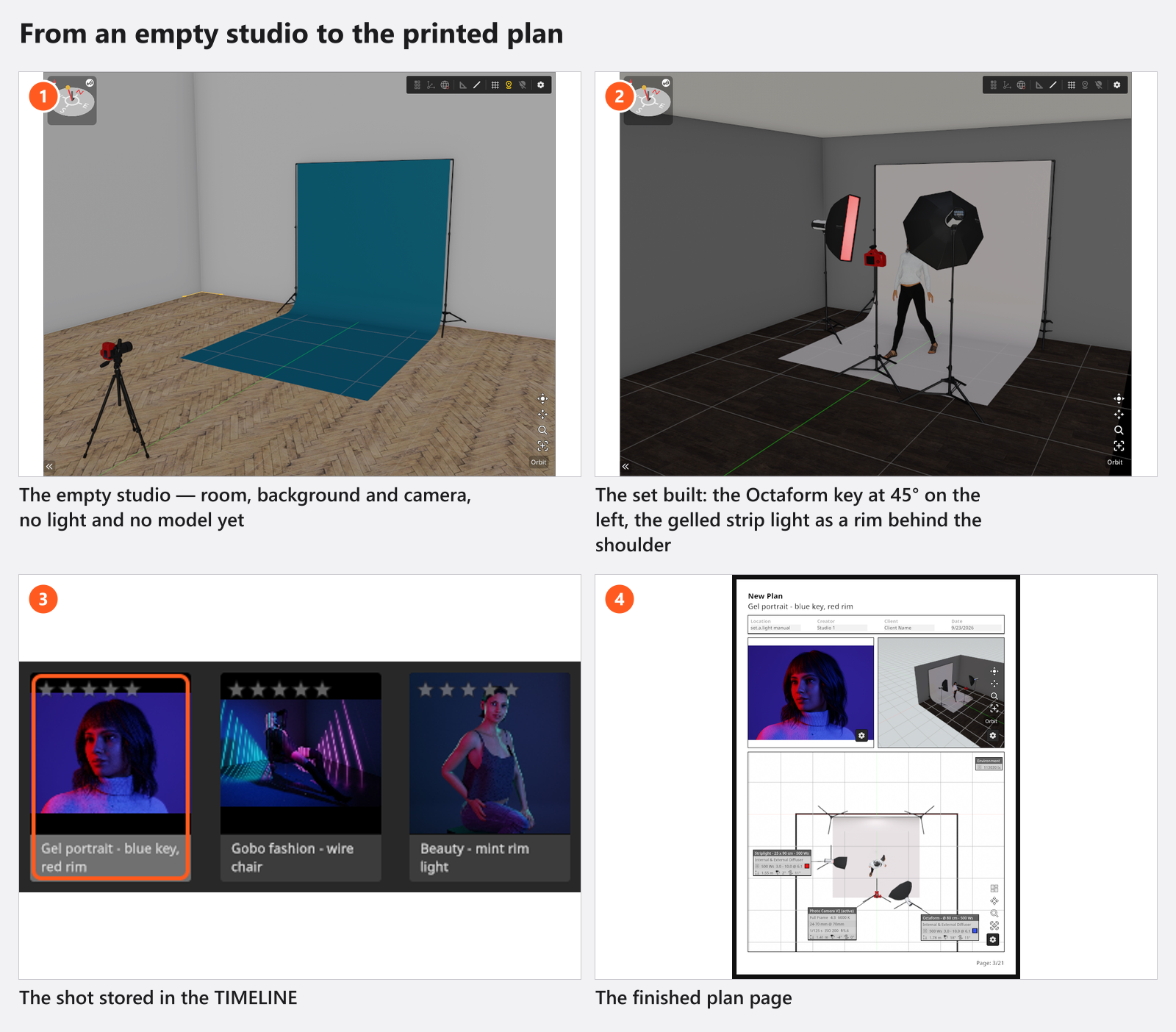
The clip runs the last two stages end to end: a plan from two finished shots, the cover, the views, the equipment list and the export — three minutes.
The decisions a pro makes
- Room before light. Size and surface colour are exposure controls; changing them after the ratio is metered costs you the ratio.
- Distance before a bigger box. Hardness comes from the apparent size of the source at the subject, so moving the key is the cheapest control you have.
- A number, not a feeling, for the fill. Set the ratio with the meter once, and every later variation is a decision instead of a guess.
- How many shots. One per lighting variation and one per framing you will deliver — that is what the storyboard and the shot pages are built from.
- PDF or JPG plan. PDF for the crew and the client (it is the only type with a cover, a per-shot Set List page and the equipment list); JPG when a single diagram goes into a message.
Pitfalls
- Save the project before the first render, or the images land in a temporary folder.
- Apply on a changed shot overwrites it and deletes its rendered image. Use New Shot when you want to keep both.
- Solo is stored with the set. Switch it off after metering, or your plan shows one light.
- The Internal Note of a shot stays inside your project: it is never printed on the plan, and it is not published with a community upload either.
- In BASIC a set holds five lights, and the render resolution list offers up to
1920 px. Plan the rig with that in mind rather than discovering it at the sixth head.
What you have now
- A saved project with a room, a subject, a metered rig and one shot per variation.
- A rendered image for each shot, in the folder beside the project file.
- A PDF plan with the storyboard, the shot pages, the per-shot list and the equipment list.
- Everything you need to hand the job on: Hand over a shoot.
Troubleshooting
- The set looks right and the render does not: Lighting problems.
- Anything else that looks wrong on the way: Something looks wrong: start here.