
 English
 Deutsch
 日本語
日本語 简体中文
简体中文 Français
Exposure works the way it does on a real camera: aperture, shutter and ISO together decide how bright the picture is, and the camera preview shows the result while you change them. The difference from a real shoot is that you can push any of the three to an extreme and see what happens without wasting a frame — and that a flash behaves exactly as it does in the studio, which surprises everyone who expects the shutter to do more.
Applies to BASIC, STUDIO, CINEMA · You need: a project open on the SETUP tab with a camera in the set. Exposure belongs to the camera, so two cameras in one set can be exposed differently.
Where to find it
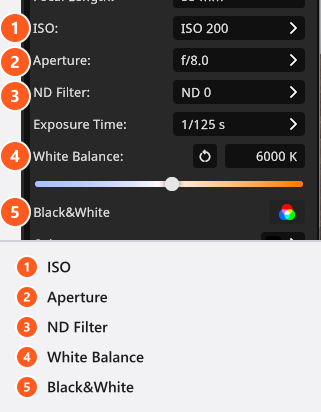
The fastest route is the camera bar above the camera preview. The same values sit in the Settings group of the camera inspector, where they carry their labels.
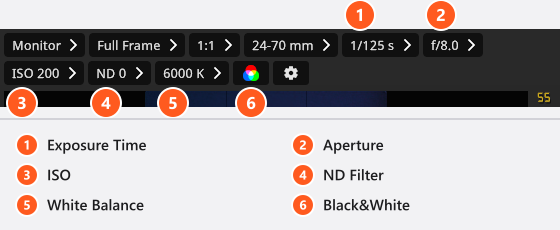
Set aperture, shutter and ISO
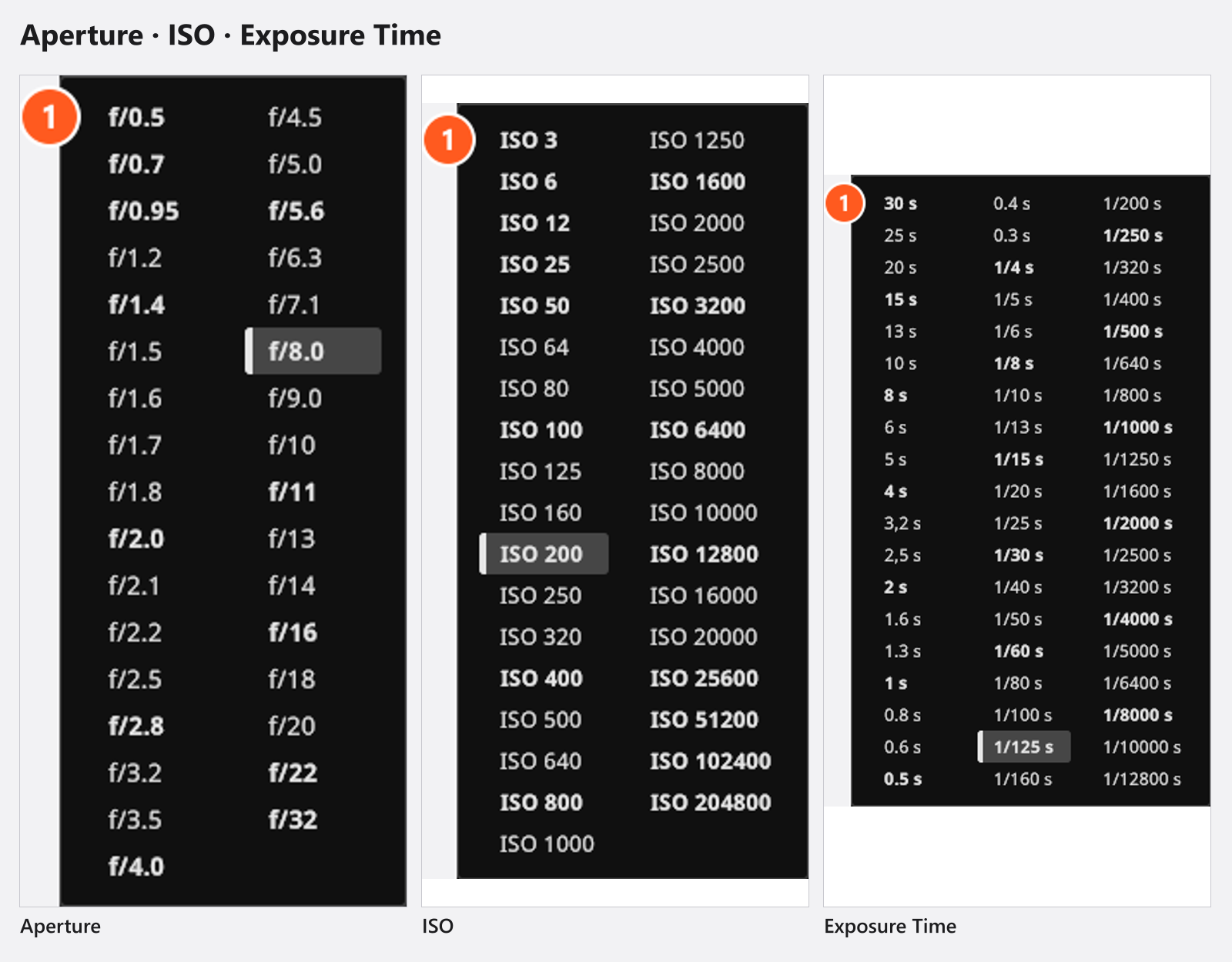
| Setting | Values | Default |
|---|---|---|
| Aperture | 33 steps, f/0.5 … f/32 |
f/9.0 |
| Exposure Time | 57 steps, 30 s … 1/12800 s |
1/125 s |
| ISO | 35 steps, ISO 3 … ISO 204800 |
ISO 200 |
The three combine as they do in photography: brightness rises with the exposure time, falls with the square of the f-number, and rises linearly with ISO (ISO 100 is the reference). Opening from f/8.0 to f/5.6 doubles the light; so does doubling the ISO. In each list the main stops are printed in bold and the steps between them in normal weight, so you can move a whole stop without counting entries.
In Film mode the aperture is labelled with T-stops and the shutter is set as a Shutter Angle — see Film camera.
Balance flash against ambient light
With flash, the shutter is not an exposure control: a flash carries its light over its own very short duration, so a longer shutter collects no extra flash light. Continuous light — a window, a practical lamp, a modelling light — is exposed by the camera time instead. That splits the work between two controls, and it is how a mixed set is balanced.
- Set Aperture for the flash until your subject sits where you want it. → Only the flash-lit part of the frame changes.
- Switch the continuous light on: a modelling light, a window, a lamp in the room.
- Change Exposure Time and watch the background in the preview;
H(by default, with the pointer over the preview) adds the histogram as a second opinion. Going from1/125 sto1/30 sgives the continuous light about four times the exposure — two stops brighter — while the flash-lit subject stays put.
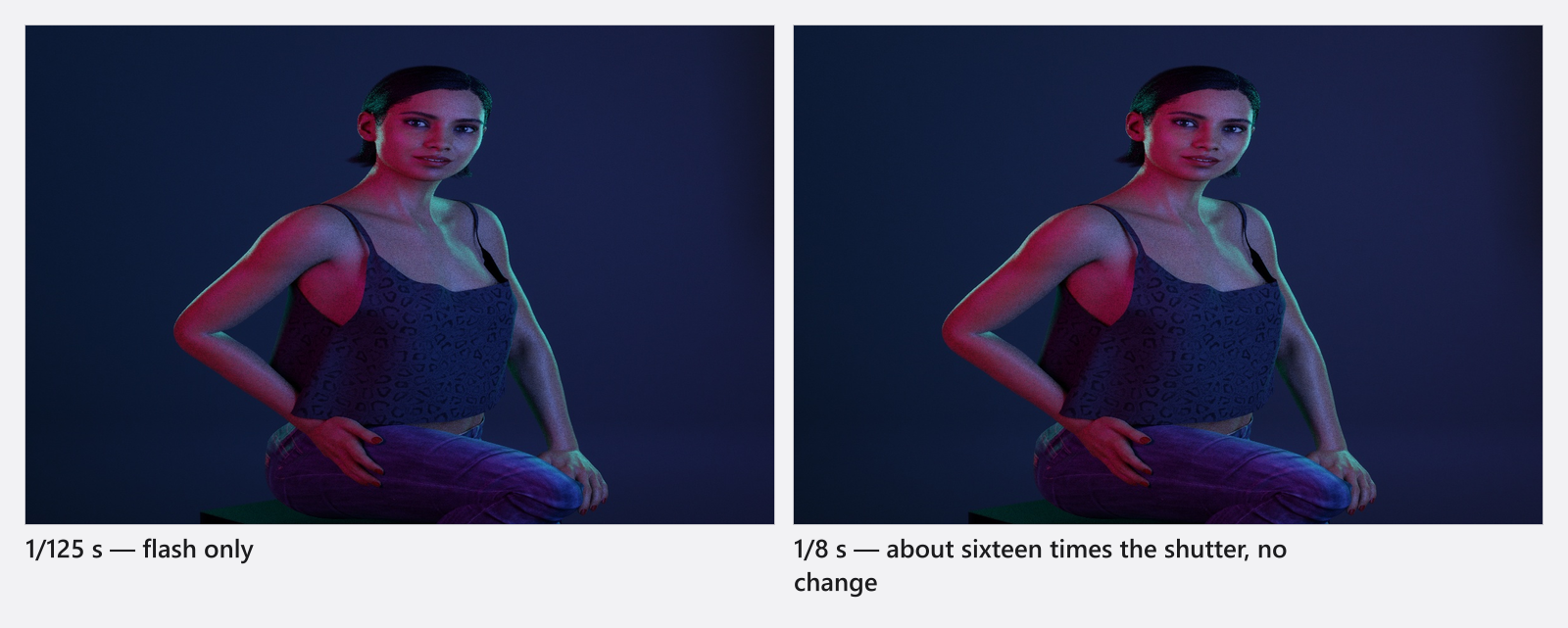
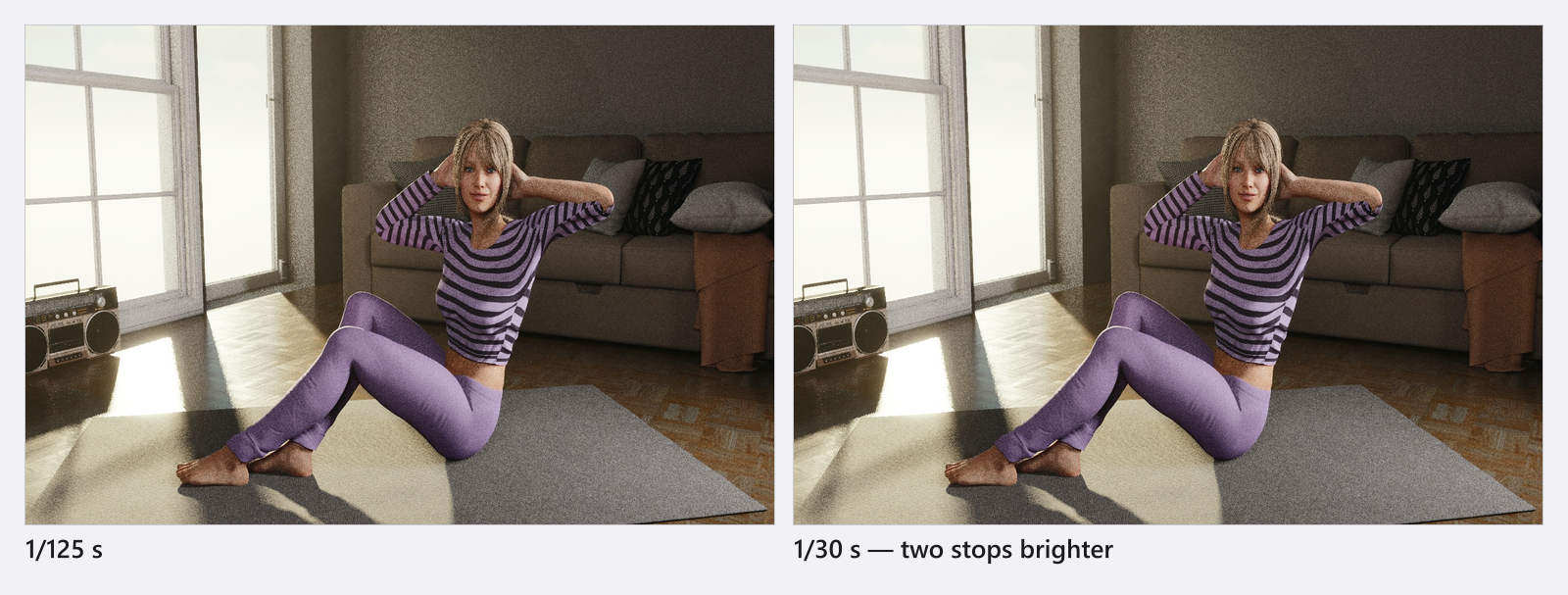
If the subject is too bright at the aperture you want, dim the light rather than closing the aperture — or reach for an ND filter.
Cut light with an ND filter
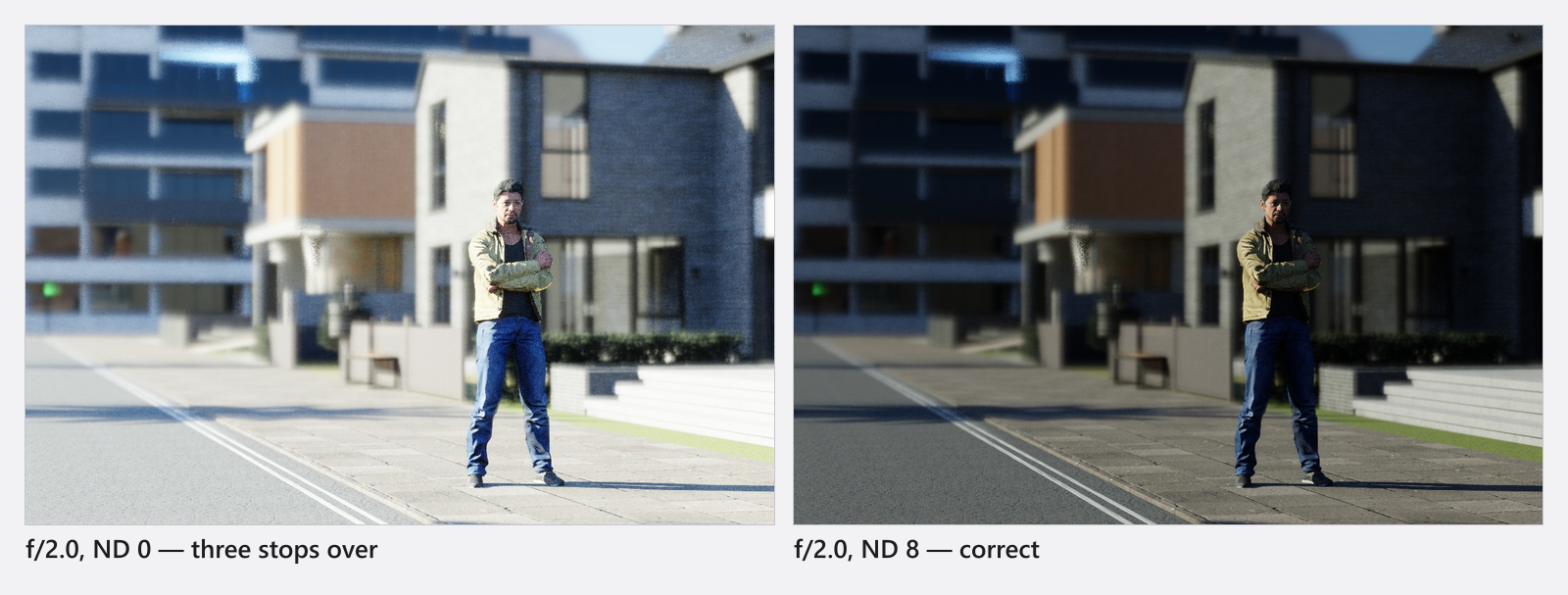
ND Filter sits next to the ISO and cuts light without touching aperture, shutter or ISO. It applies to flash and continuous light alike. Use it when you want a wide aperture for the look but the flash is already at its lowest power.
| Setting | Density | Light loss |
|---|---|---|
ND 0 |
— | none |
ND 2 |
0.3 | 1 stop |
ND 4 |
0.6 | 2 stops |
ND 8 |
0.9 | 3 stops |
ND 16 |
1.2 | 4 stops |
ND 32 |
1.5 | 5 stops |
ND 64 |
1.8 | 6 stops |
ND 128 |
2.1 | 7 stops |
ND 256 |
2.4 | 8 stops |
ND 512 |
2.7 | 9 stops |
ND 1024 |
3.0 | 10 stops |
The list prints the same three figures for every step but ND 0, so you can pick by stops instead of by number.
Set the white balance
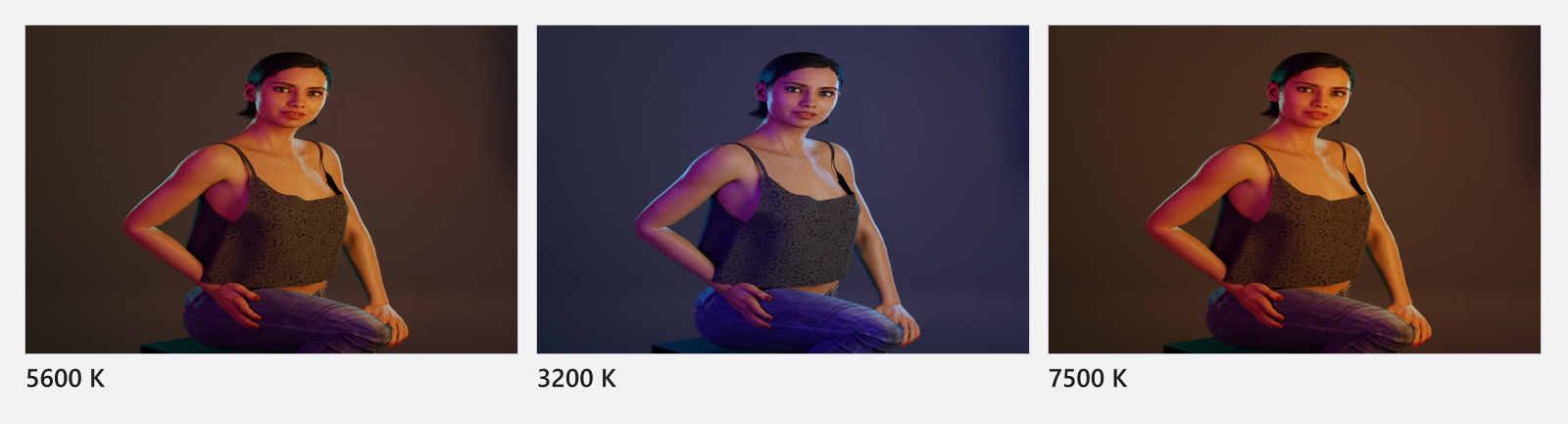
White Balance is the colour temperature the camera calls neutral: 1700 K to 20000 K, default 5600 K. Type the value into the field, drag the gradient beside it (it snaps to 100 K), or click the reset arrow in the field to go back to 5600 K. Raising the value warms the picture up and lowering it cools it down — the opposite direction to a light’s own colour temperature, which is set per light source.
This is where gels become visible: at 5600 K a light with a CTO gel stays warm. Pull the white balance down towards that gel’s own temperature and the gelled light turns neutral, while every ungelled light in the set goes blue. See Colour a light with gels and filters.
The button after the white balance switches the camera to Black&White, a black and white conversion. It changes the preview, the render and the histogram and is stored with the shot, so one project can hold black-and-white and colour shots side by side.
Looks wrong, is correct
- A longer shutter does not brighten the flash. Only a shutter shorter than
1/3200 sstarts to cut a flash off, and then the simulation scales it down. - High ISO adds no noise. ISO is purely an exposure lever here. Film grain is a separate effect — see Grade the image with LUTs and effects.
- A long shutter does not smear movement. Motion blur is not simulated.
- Opening the aperture changes two things: brightness and the depth of field. See Focus and depth of field.
- In Film mode a long time stops working. The exposure of a film frame never gets longer than one frame of the set framerate.
Tips & limits
- The camera shows no exposure value anywhere. The Light Meter object (STUDIO+) is the only EV read-out in the program, and since this release its set-list row shows lux, EV and aperture live — see Measure light and lighting ratios.
- Aperture, Exposure Time, ISO, ND Filter and White Balance can all be keyframed, which is what an exposure ramp is made of (add-on: Animation Tool). Black&White cannot.
- The preview restarts and refines after every change; judge brightness only once it has settled.
- Every entry of the three ladders exposes for exactly the value it prints, and the fractional times are written with a point (
3.2 s,2.5 s). Two shutter times were slightly off in an earlier version: a project that used1/640 sor1/6400 srenders0.035 EVbrighter than it did — a third of a tenth of a stop, visible in a measurement, not in a picture.
Troubleshooting
- Changing the shutter does nothing to my flash-lit subject. That is correct behaviour — see Looks wrong, is correct above.
- The exposure I set looks different in the studio view. The studio view has its own working exposure and no grade; judge exposure in the camera preview or the render.
- More symptoms: Camera problems.